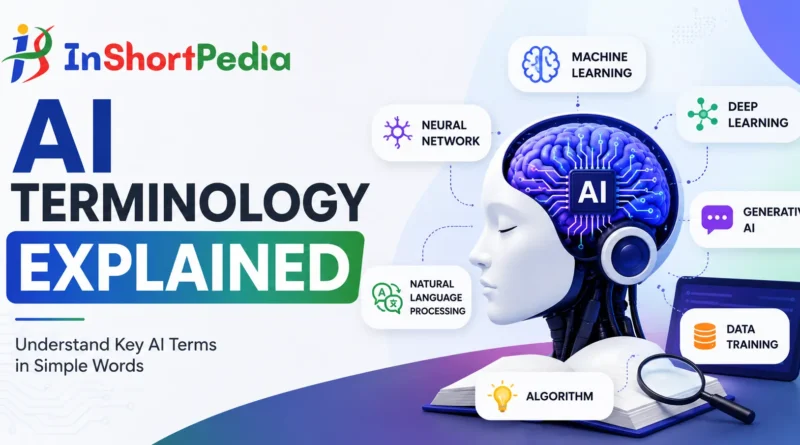
AI Terminology Explained (Beginner’s Glossary)
New to AI and feeling buried under jargon? This plain-English glossary walks you through the terms you’ll see most often – without the fluff. Use it as a quick reference, or read end-to-end to build a solid foundation.
How to use this guide:
- Each entry gives a simple definition, why it matters, and a quick example.
- Skim the headings to jump to what you need: fundamentals, data, model quality, deployment, and ethics.
1) Core Concepts (start here)
Artificial Intelligence (AI)
What it means: Computers are doing tasks that usually need human intelligence, like understanding language, recognizing images, or making decisions.
Why it matters: It’s the umbrella term for everything in this glossary.
Example: A customer-service chatbot that answers questions 24/7.
Machine Learning (ML)
What it means: A way to build AI systems that learn patterns from data instead of following fixed rules.
Why it matters: Most modern AI is ML under the hood.
Example: An email app learning to filter spam by seeing thousands of examples.
Deep Learning
What it means: A branch of ML that uses many-layered neural networks to learn complex patterns.
Why it matters: It powers speech recognition, image search, and large language models.
Example: Your phone converts your voice into text accurately.
You may like to know: Machine Learning vs Deep Learning vs Neural Networks
Model
What it means: A program (with numbers inside it) that turns inputs into outputs based on what it learned from data.
Why it matters: When people say “the AI,” they usually mean “the model.”
Example: Give a photo to an image model, and it outputs “cat.”
Parameters / Weights
What it means: The “knobs” inside a model—millions or billions of numbers the training process tunes.
Why it matters: More parameters can capture more patterns, but also cost more to run.
Neural Network
What it means: A model made of layers of tiny math units (“neurons”) that pass signals forward.
Why it matters: It’s the dominant technique for modern AI.
Example: A network that takes pixels in and outputs “dog” or “not dog.”
Training vs. Inference
Training: The learning phase—models adjust their weights using example data.
Inference: The usage phase—models make predictions or generate text from new inputs.
Tip: Training is expensive; inference needs to be fast.
Supervised / Unsupervised / Semi-supervised Learning
Supervised: Learns from labeled data (question → correct answer).
Unsupervised: Finds patterns without labels.
Semi-supervised: A mix of a few labels and lots of unlabeled data.
Reinforcement Learning (RL)
What it means: The model learns by trial and error, guided by rewards.
Example: A robot learning to walk, or an agent learning to play a game.
Generative AI (GenAI)
What it means: Models that create new content—text, images, code, music—based on patterns they learned.
Why it matters: It’s what powers chat assistants and image creators.
Large Language Model (LLM)
What it means: A generative model trained on huge amounts of text to understand and produce language.
Example: Writing a draft email or summarizing a report.
Token
What it means: A chunk of text (often a word piece) models read and write.
Why it matters: Pricing, speed, and limits are often calculated in tokens—not characters.
Prompt
What it means: The input you give a generative model (plus instructions).
Why it matters: Clear prompts = better results.
Example: “Summarize this article in 5 bullets and include one quote.”
Zero-shot / Few-shot
Zero-shot: You ask a model to do a task without examples.
Few-shot: You include a few examples in the prompt to guide it.
Embedding
What it means: A vector (list of numbers) that represents meaning.
Why it matters: Used for search, clustering, recommendations, and RAG (see below).
Also read: Key Concepts in AI
2) Data & Preparation (the fuel for AI)
Dataset
What it means: A collection of examples used for training or testing.
Tip: Better data beats a bigger model—often.
Label / Annotation
What it means: The “answer” attached to an example (e.g., this image = “cat”).
Why it matters: Quality labels = quality learning.
Features
What it means: Useful pieces of information extracted from raw data.
Example: From a date, you might extract day of week or month.
Preprocessing
What it means: Cleaning and transforming data before training (remove duplicates, handle missing values).
Why it matters: Garbage in, garbage out.
Data Augmentation
What it means: Expanding training data by making safe variations.
Example: Flipping an image or slightly rephrasing a sentence.
Train / Validation / Test Split
What it means:
- Train: For learning.
- Validation: For tuning choices during training.
- Test: For final evaluation only.
Why it matters: Prevents fooling yourself.
Ground Truth
What it means: The trusted correct label.
Why it matters: It’s the yardstick to judge models.
Data Leakage
What it means: When information from the test set accidentally sneaks into training or validation.
Why it matters: It inflates results and bites later in production.
3) Model Quality & Risks (how to tell if it works)
Accuracy / Precision / Recall / F1
Accuracy: % of predictions that were right.
Precision: Of the items flagged positive, how many were actually positive?
Recall: Of all real positives, how many did we find?
F1: A balance between precision and recall.
Tip: Use the metric that matches your real goal (e.g., recall for fraud detection).
Confusion Matrix
What it means: A table showing true vs. predicted labels.
Why it matters: It reveals the types of mistakes, not just how many.
Overfitting / Underfitting
Overfitting: Model memorizes training data, fails on new data.
Underfitting: Model is too simple, fails on both training and new data.
Fixes: More/cleaner data, regularization, early stopping, or simpler architecture.
Generalization
What it means: How well a model performs on truly new data.
Why it matters: Real users rarely match your training set perfectly.
Calibration
What it means: When a model’s confidence scores match reality (e.g., 80% confidence ≈ 80% correct).
Use case: Risk-aware decisions (medicine, finance).
Robustness
What it means: The model keeps working despite noise or small input changes.
Why it matters: Real-world inputs are messy.
Explainability / Interpretability (XAI)
What it means: Tools and methods to understand why a model predicted something.
Why it matters: Trust, debugging, and compliance.
Bias / Fairness
What it means: Systematic errors that hurt certain groups, often due to unbalanced data.
Approach: Diverse data, bias testing, human oversight.
Hallucination (for LLMs)
What it means: The model outputs confident but false information.
Mitigation: Retrieval-augmented generation, citations, and human review.
4) Architectures & Training Techniques (plain English)
Transformer
What it means: A neural-network design that uses attention to focus on the most relevant parts of the input.
Why it matters: It’s the backbone of modern language and vision models.
Attention
What it means: A mechanism that lets the model “look” at specific tokens or pixels more than others.
Analogy: Skimming a page and focusing on key phrases.
Encoder / Decoder
Encoder: Turns input into a compact representation.
Decoder: Turns that representation into an output (text, labels, etc.).
Note: Some models have both; some are encoder-only or decoder-only.
Transfer Learning
What it means: Starting from a model already trained on a big task, then adapting it to your smaller task.
Why it matters: Better results with less data and compute.
Fine-tuning
What it means: Continuing to train a pre-trained model on your specific data.
When to use: You need the model to follow your domain style or rules.
LoRA (Low-Rank Adaptation)
What it means: A lightweight fine-tuning method that adds small trainable layers instead of updating all weights.
Benefit: Cheaper and faster to customize large models.
Distillation
What it means: Training a smaller “student” model to mimic a larger “teacher” model.
Why it matters: You get speed gains with acceptable accuracy.
Quantization
What it means: Representing numbers with fewer bits (e.g., 8-bit instead of 16/32-bit).
Why it matters: Faster and cheaper inference, sometimes minor accuracy loss.
Retrieval-Augmented Generation (RAG)
What it means: The model looks up relevant documents (via embeddings) and uses them to answer, reducing hallucinations.
Use case: Chat over your PDFs, knowledge bases, or product docs.
5) Working with LLMs (the practical bits)
Context Window
What it means: The maximum tokens the model can consider at once (prompt + response).
Why it matters: Long inputs may be truncated; plan summaries or chunking.
System Prompt / Instruction
What it means: Hidden or top-level guidance that sets the model’s role and rules.
Example: “You are a helpful, concise coding assistant.”
Prompt Engineering
What it means: Crafting inputs and instructions to get reliable outputs.
Tips: Give structure, include constraints, show one or two examples, ask for step-by-step reasoning without revealing private info.
Temperature / Top-p
Temperature: Higher = more creative/variable; lower = more focused/consistent.
Top-p: Limits choices to the most probable tokens whose cumulative probability is p.
Use case: Set both for the creativity vs. reliability tradeoff.
Guardrails / Content Filters
What it means: Safety checks that block harmful or risky outputs.
Why it matters: Compliance and user trust.
Cost (Tokens & Calls)
What it means: Usage is often billed per token. Bigger prompts and responses cost more.
Tip: Compress context, use summaries, cache common prompts.
Latency / Throughput
Latency: How fast one response returns.
Throughput: How many requests you can run per second.
Tip: Batch where possible; cache repeat work; use smaller models for simple tasks.
Rate Limits
What it means: Caps on how many requests you can send per minute or day.
Why it matters: Plan queues and fallbacks.
On-device vs. Cloud
On-device (edge): Low latency, higher privacy, smaller models.
Cloud: Bigger models, more features, but network-dependent.
Human-in-the-Loop (HITL)
What it means: People review or approve AI outputs for quality or safety.
Use case: Medical summaries, legal reviews, or critical decisions.
Monitoring / Drift
Monitoring: Track accuracy, latency, and failures in production.
Drift: Data or user behavior changes over time, degrading quality.
Action: Retrain, re-index, or update prompts regularly.
6) Ethics, Privacy & Governance (build trust by design)
Privacy & PII
PII: Personally Identifiable Information (names, emails, IDs).
Practice: Mask or avoid sending PII; get consent; follow data-protection laws where you operate.
Consent & Purpose Limitation
Collect data for a clear purpose and use it only for that purpose.
Copyright & Licensing
Check usage rights for training data and outputs. Respect licenses and attributions.
Model Card / Datasheet
A document that explains what the model was trained on, where it works well, where it fails, and known risks.
Red-teaming
Intentionally probing the system to find failures (safety, bias, security). Fix issues before launch.
Watermarking / Provenance
Techniques to mark or trace AI-generated content. Helps with transparency and detection.
Data Governance
Policies and tooling that control who can access what, and how long data is kept. Log access and changes.
7) Quick Clarifications (terms people mix up)
- AI vs. ML vs. Deep Learning: AI is the goal, ML is the approach, deep learning is a subset of ML.
- Chatbot vs. Assistant: A chatbot handles basic scripted flows; an assistant uses an LLM and tools to complete broader tasks.
- Open Source vs. Open Weights: Open source shares code under an OSI license; open weights share the trained model’s parameters (sometimes with usage limits).
- Fine-tuning vs. RAG: Fine-tuning changes the model’s behavior permanently; RAG keeps your data separate and pulls it in at query time.
- Deterministic vs. Stochastic Outputs: Set temperature low (and fix a random seed if available) for repeatable outputs; otherwise expect some variation.
8) Mini Playbook (apply the terms in real work)
- Define success early: Choose metrics that match your goal (e.g., recall for safety alerts).
- Start small: Use a capable base model + RAG before fine-tuning.
- Protect data: Strip PII, set retention rules, and log access.
- Design prompts like specs: State role, constraints, format, and examples.
- Test with real users: Watch for drift, bias, and hallucinations.
- Measure end-to-end: Track quality, latency, cost, and user satisfaction together.
A–Z Quick Glossary (fast lookup)
-
API: A way for apps to talk to the model programmatically.
-
Augmentation (data): Safe variations to boost training.
-
Batching: Grouping requests to improve throughput.
-
Benchmark: A standard test set for fair comparisons.
-
Checkpoint: Saved model state during training.
-
Class (label): Category the model predicts.
-
Config: Settings that control the model or pipeline.
-
Context Window: Maximum number of tokens the model can consider at once.
-
Detoxification: Reducing harmful outputs.
-
Distillation: Training a smaller model from a larger one’s behavior.
-
Embedding: Numeric meaning of text/images for search and clustering.
-
Epoch: One full pass through the training data.
-
Feature Store: Central place to manage features for ML systems.
-
Few-shot: Prompting with a few examples.
-
Fine-tuning: Adapting a pre-trained model to your data.
-
Ground Truth: Trusted correct labels.
-
Hallucination: Confident but false output from an LLM.
-
HITL (Human-In-The-Loop): Human checks built into the workflow.
-
Inference: Using a trained model to get results.
-
Latency: Time taken to get a response.
-
LoRA (Low-Rank Adaptation): Lightweight fine-tuning technique.
-
Loss: Training objective the model tries to minimize.
-
Model Card: Transparency document for a model.
-
Normalization: Scaling data to standard ranges.
-
Overfitting: Memorizing training data; poor generalization.
-
Parameter: A weight inside the model.
-
PII (Personally Identifiable Information): Sensitive data that can identify a person.
-
Precision / Recall / F1: Key quality metrics for model evaluation.
-
Prompt: Your instruction or input to the model.
-
Quantization: Using fewer bits per weight for faster and cheaper inference.
-
RAG (Retrieval-Augmented Generation): Grounds answers in external documents.
-
Regularization: Techniques that reduce overfitting.
-
Sampling: How the model picks next tokens (e.g., temperature, top-p).
-
Scaling Law: Relationship between data, parameters, compute, and performance.
-
Seed: Value that fixes randomness for reproducibility.
-
Token: A chunk of text used by models.
-
Top-p (Nucleus Sampling): Limits generation to top probability mass.
-
Transformer: Modern model architecture based on attention mechanisms.
-
Underfitting: Model too simple; fails to capture patterns.
-
Vector DB: Database optimized for embeddings and similarity search.
FAQs
1) What’s the simplest way to explain an LLM?
A very powerful text-prediction engine. It reads your prompt and continues it, using patterns learned from huge amounts of text.
2) Why do models “hallucinate”?
Generative models predict likely text, not truth by default. Without sources or retrieval (RAG), they may fill gaps with plausible-sounding errors.
3) Do bigger models always win?
No. Bigger models help, but good data, prompt design, RAG, and evaluation often matter more for practical results and cost.
4) What’s the difference between fine-tuning and giving examples in the prompt?
Few-shot examples guide a single response. Fine-tuning changes the model’s behavior more broadly and persistently.
5) Can I make outputs consistent every time?
Lower the temperature and keep prompts stable. If available, set a fixed random seed. Some variation may still occur.
6) How do I protect sensitive data?
Minimize what you send, scrub PII, use encryption, control access, and set clear retention rules. Prefer RAG over fine-tuning for private content.
7) What is “context window,” and why do I hit limits?
It’s the total token budget for input + output. If you exceed it, the model drops earlier tokens. Summarize or chunk long inputs.
8) When should I use RAG instead of fine-tuning?
When you want up-to-date or private knowledge without changing the model. RAG is fast to ship and easier to govern.
9) How do I measure if my AI is “good”?
Pick metrics that match your goal (precision/recall/F1), test on unseen data, audit for bias, and monitor real-world performance.
10) What are embeddings useful for?
They turn text into numbers so you can search, cluster, recommend, and power RAG pipelines.
Final Tips
- Keep prompts specific and structured.
- Measure what users actually care about, not just what’s easy to log.
- Start with RAG for domain knowledge; fine-tune later if you must.
- Build safety, privacy, and human oversight into the design—not as an afterthought.
You now have the vocabulary to make sense of AI conversations and to make better, safer decisions with the tech.