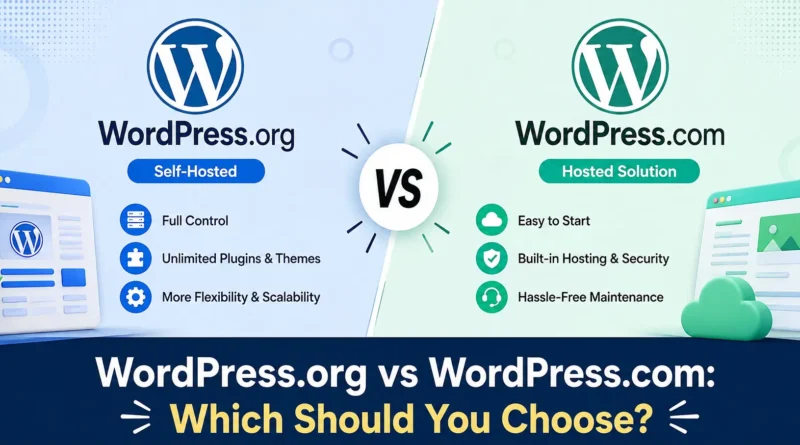
WordPress.org vs WordPress.com: Which Should You Choose?
If you are planning to start a blog, business site, or online store, you have likely come across two very similar names: WordPress.org and WordPress.com. They sound almost identical, but they work in completely different ways. Choosing the wrong one can cost you time, money, and flexibility later on. You may be confused about which WordPress is for Beginners.
In this guide, you will learn the real difference between WordPress.org and WordPress.com, the pros and cons of each, and which one fits your specific goals.
What Is WordPress.org?
WordPress.org is the home of the free, open source WordPress software. When people talk about “self hosted WordPress,” they mean WordPress.org.
With WordPress.org, you download the WordPress software for free and install it on a web hosting account that you buy separately, such as Bluehost, Hostinger, or SiteGround. You own the website completely. You control the code, the design, the plugins, and the data.
Example: A freelance photographer who wants full control over her portfolio design, custom plugins, and a unique domain like inshortpedia.com would use WordPress.org along with a hosting provider.
What Is WordPress.com?
WordPress.com is a hosted platform built by Automattic, the company founded by WordPress co-creator Matt Mullenweg. It uses the same core WordPress software, but everything is managed for you. Hosting, security, backups, and updates are all handled on their servers.
You simply sign up, pick a plan, and start publishing. There is a free plan with limited features, and paid plans that unlock custom domains, plugins, ecommerce, and more storage.
Example: A hobby blogger who wants to write about travel without worrying about servers, security patches, or backups would find WordPress.com easier to manage.
Key Differences Between WordPress.org and WordPress.com
| Feature | WordPress.org | WordPress.com |
|---|---|---|
| Cost | Free software, but you pay for hosting and domain | Free plan available, paid plans for more features |
| Ownership | You fully own your site and data | Platform hosts and partially controls your site |
| Customization | Unlimited themes and plugins | Limited on free and lower tier plans |
| Monetization | Full control over ads and affiliate links | Restricted on free plan |
| Maintenance | You handle updates, backups, security | Handled by WordPress.com |
| Ease of Use | Requires some technical learning | Beginner friendly, minimal setup |
| Custom Domain | Included from day one | Requires a paid plan |
We compare Wix vs WordPress.com vs Weebly.
Advantages of WordPress.org
Full ownership and control. Nothing gets deleted or suspended by a third party because you manage your own hosting account.
Unlimited plugins and themes. You can install thousands of free and premium plugins to add features like SEO tools, forms, membership systems, or online stores using WooCommerce.
Better for monetization. You can run any ad network, sell products, or add affiliate links without restrictions.
Scalable for business growth. Most large business websites, news portals, and online stores are built on WordPress.org because it can handle heavy traffic and custom functionality.
Disadvantages of WordPress.org
- You are responsible for security, backups, and updates
- Hosting and domain costs add up over time
- Requires a small learning curve for beginners
Advantages of WordPress.com
Quick and easy setup. You can launch a website in minutes without touching any code.
Managed hosting and security. WordPress.com takes care of server maintenance, uptime, and basic security.
Good for personal blogs. If you just want to write and publish content casually, the free or basic plans work well.
Disadvantages of WordPress.com
- Free plan shows WordPress.com ads on your site
- Limited plugin and theme access unless you upgrade to Business or Commerce plans
- Less control over monetization on lower tier plans
- Your site technically lives on their platform, so policy changes can affect you
Which One Should You Choose?
The right choice depends on your goals.
Choose WordPress.org if:
- You want a business website, online store, or professional blog
- You need full design freedom and custom plugins
- You plan to monetize through ads or affiliate marketing
- You want complete ownership of your content and data
Choose WordPress.com if:
- You want a simple personal blog or hobby site
- You prefer not to deal with hosting or technical maintenance
- You are testing an idea before investing in a full website
- Budget is limited and you just need a free starting point
Example: A small business owner selling handmade candles would benefit more from WordPress.org paired with WooCommerce, since it allows full control over payment gateways, shipping options, and design. A student sharing personal study notes as a hobby, on the other hand, might be perfectly happy with the free WordPress.com plan.
Frequently Asked Questions
Is WordPress.org really free?
Yes, the WordPress software itself is free. However, you need to pay separately for web hosting and a domain name, which usually costs a small amount per year.
Can I move my site from WordPress.com to WordPress.org later?
Yes, migration is possible. Many businesses start on WordPress.com and later move to WordPress.org as their needs grow, though the process can take some technical effort.
Which one is better for SEO?
WordPress.org generally offers stronger SEO control because you can install advanced SEO plugins, customize site speed, and edit technical settings that WordPress.com restricts on lower plans.
Do I need coding skills to use WordPress.org?
No coding skills are required to get started. Most themes and plugins offer visual customization, though basic technical comfort helps when managing hosting and updates.
Which platform is better for beginners?
WordPress.com is easier for absolute beginners because hosting and security are managed for you. WordPress.org has a slightly steeper learning curve but offers far more long term flexibility.
Final Thoughts
Both platforms share the same WordPress core, but they serve different types of users. WordPress.org is the better choice for anyone serious about building a business, blog, or online store with full control and growth potential. WordPress.com works well for casual users who want a quick, low maintenance way to publish content online.
Think about where you want your website to be in a year or two. If you see it growing into something bigger, starting with WordPress.org will save you the trouble of migrating later.