How to Create a Free Website Without Coding
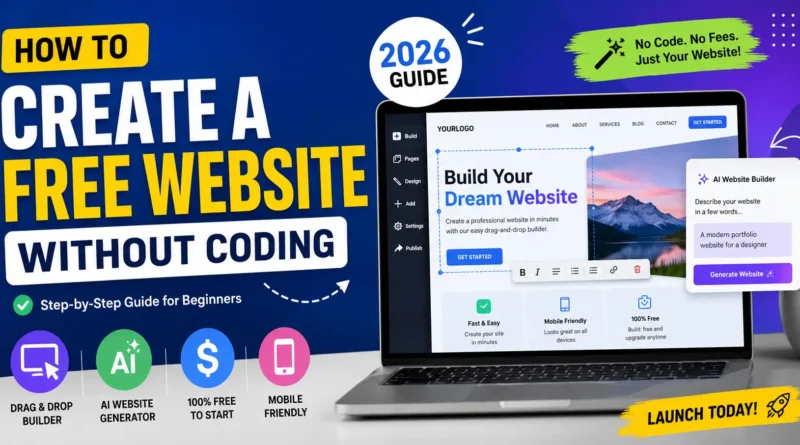
Creating a website no longer requires coding skills, hiring developers, or spending hundreds of dollars. In 2026, anyone can build a professional website for free using AI-powered website builders and no-code platforms.
But simply creating a website isn’t enough.
Search is changing rapidly. Traditional SEO is now sharing the spotlight with AI search engines, Large Language Models (LLMs), and Generative Search Experiences (GSE). Platforms like ChatGPT, Gemini, Claude, Perplexity, and Google’s AI-powered search results are changing how people discover websites.
This guide will show you:
- How to build a website for free without coding
- The best free website builders
- How AI is changing SEO
- How to optimize your website for both Google and AI search engines
- Expert strategies to stay ahead in 2026
Why You No Longer Need Coding Skills
Modern website builders use drag-and-drop editors and AI assistants.
Instead of writing HTML, CSS, or JavaScript, you simply:
- Choose a template
- Edit text
- Upload images
- Publish your website
Some AI website builders can even generate an entire website after asking a few questions about your business.
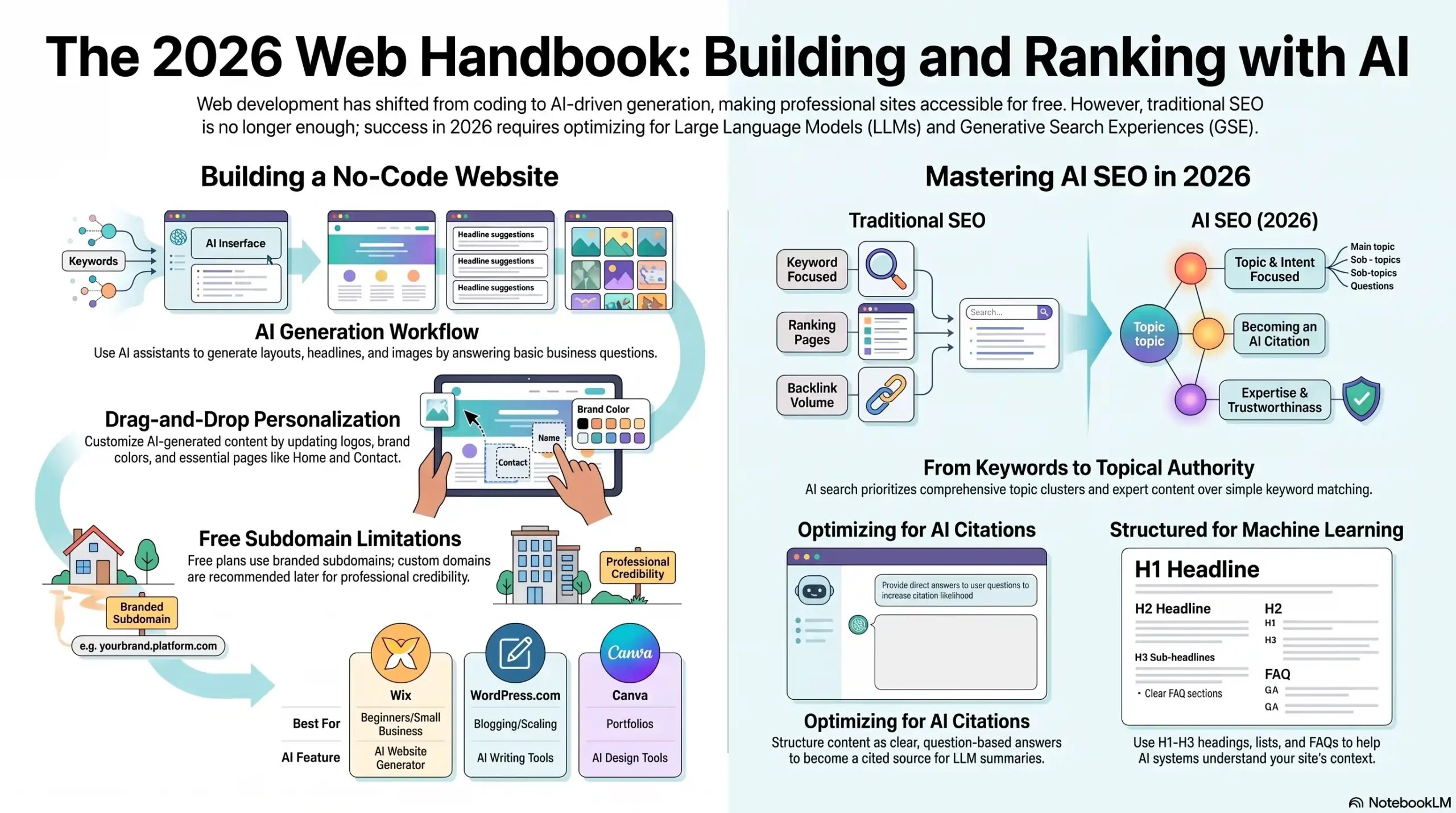
Best Free Website Builders in 2026
| Platform | Best For | Free Plan | AI Features |
|---|---|---|---|
| Wix | Small businesses | Yes | AI Website Generator |
| WordPress.com | Blogging | Yes | AI Writing Tools |
| Google Sites | Internal websites | Yes | Basic |
| Canva Websites | Portfolios | Yes | AI Design |
| Carrd | Landing pages | Yes | Limited |
| Webflow | Designers | Yes | AI Assistant |
| Hostinger AI Builder | Beginners | Trial | Full AI Generation |
| Framer | Startups | Yes | AI Website Creator |
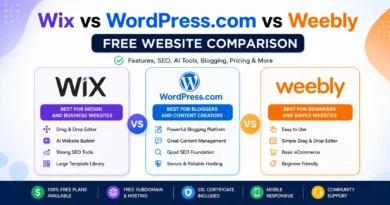
You may like to read: Wix vs WordPress.com vs Weebly
Create a Free Website Without Coding
Step 1: Choose Your Website Type
Before building, decide your goal.
Examples include:
- Personal blog
- Portfolio
- Business website
- Agency website
- Online store
- Educational website
- Local business
- Landing page
Knowing your goal helps choose the right layout and content.
Step 2: Pick a Free Website Builder
If you’re a beginner:
- Wix is great for ease of use.
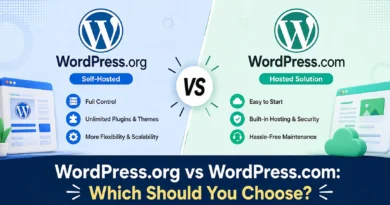
- WordPress.com is ideal for blogging.
- Canva is excellent for portfolios.
- Carrd works well for one-page websites.
If you plan to scale later, WordPress remains one of the best long-term options.
Step 3: Use AI to Generate Your Website
Most builders now ask questions like:
- What is your business?
- Who is your audience?
- What services do you offer?
The AI then creates:
- Homepage
- About page
- Contact page
- Service pages
- Images
- Headlines
- CTAs
This saves hours of manual work.
Step 4: Customize Your Website
Even AI-generated websites need personalization.
Update:
- Logo
- Brand colors
- Fonts
- Images
- Business information
- Contact details
Avoid publishing generic AI-generated content without editing it.
Step 5: Add Essential Pages
Every website should include:
Home
Introduce your brand clearly.
About
Build trust with your story.
Services or Products
Explain what you offer.
Contact
Include:
- Phone
- Contact form
- Google Map (if applicable)
Privacy Policy
Important for compliance and trust.
Step 6: Publish Your Website
Free plans usually include a branded subdomain like:
yourname.wixsite.comFor a more professional appearance, purchase a custom domain later.
Traditional SEO Is No Longer Enough
Many website owners still focus only on:
- Keywords
- Backlinks
- Meta titles
- Meta descriptions
These remain important, but AI search engines evaluate content differently.
The future belongs to websites that answer questions comprehensively and establish authority.
How AI Search Is Changing SEO in 2026
Search has shifted from “10 blue links” to AI-generated answers.
Instead of showing only webpages, AI systems summarize information from multiple trusted sources.
Users often receive answers without clicking several websites.
This means your content must be optimized to become part of AI-generated responses.
What Are Large Language Models (LLMs)?
LLMs are advanced AI systems trained on vast amounts of information.
Examples include:
- ChatGPT
- Gemini
- Claude
- DeepSeek
- Grok
- Perplexity AI
These models analyze context rather than matching exact keywords.
They prefer:
- Expert content
- Clear explanations
- Reliable sources
- Well-structured pages
- Updated information
Understanding Generative Search
Generative Search creates AI-written answers by combining information from multiple trusted websites.
Instead of ranking only webpages, AI evaluates:
- Content quality
- Trustworthiness
- Entity relationships
- User satisfaction
- Expertise
- Freshness
This changes how websites earn visibility.
SEO vs AI SEO
| Traditional SEO | AI SEO |
|---|---|
| Keyword focused | Topic focused |
| Ranking pages | Becoming an AI citation |
| Search intent | User problem solving |
| Backlinks | Authority + expertise |
| Metadata | Structured knowledge |
| Page optimization | Content understanding |
How to Optimize Your Website for AI Search
1. Answer Real Questions
Instead of writing:
Website Design Services
Write:
How Much Does Website Design Cost for Small Businesses?
Question-based content performs better in AI search.
2. Cover Topics Completely
Avoid thin articles.
Instead of a 500-word post, create comprehensive guides covering:
- Basics
- Examples
- FAQs
- Step-by-step instructions
- Common mistakes
- Best practices
3. Build Topical Authority
Rather than publishing random topics, create content clusters.
Example:
Main Topic:
Website Creation
Supporting Articles:
- Best Free Website Builders
- WordPress vs Wix
- Website Hosting Guide
- Domain Name Tips
- Website SEO Basics
- Website Speed Optimization
This strengthens your site’s authority on the subject.
4. Use Structured Headings
AI understands organized content better.
Use:
- H1
- H2
- H3
- Lists
- Tables
- FAQs
This improves readability for both users and AI systems.
5. Demonstrate Experience
Include:
- Real examples
- Screenshots
- Personal insights
- Case studies
- Practical tips
Experience helps distinguish your content from generic AI-generated text.
6. Optimize for Entities
Mention related concepts naturally.
For this topic:
- Domain Name
- Web Hosting
- SSL Certificate
- Responsive Design
- CMS
- Website Builder
- SEO
- Accessibility
- User Experience
This helps AI understand the broader context.
7. Add Helpful FAQs
Examples:
Can I create a website without coding?
Yes. Modern website builders let you build websites using drag-and-drop editors and AI tools without writing code.
Are free websites good for SEO?
They can rank, but custom domains and paid hosting generally provide greater flexibility and credibility.
Which free website builder is best?
It depends on your needs. Wix is beginner-friendly, WordPress.com is excellent for blogging, and Canva works well for simple portfolio sites.