Add Me to Search: Is It Gone? What to Do Now
Add Me to Search was a Google feature that let you create a people card, a small profile with your photo, bio, and links that could appear when someone searched your name. Google shut it down on April 7, 2024, so you can no longer create or edit one.
You can still get a similar result by building a clear identity across your own website, social profiles, and structured data.
This guide shows how.
What Was “Add Me to Search”?
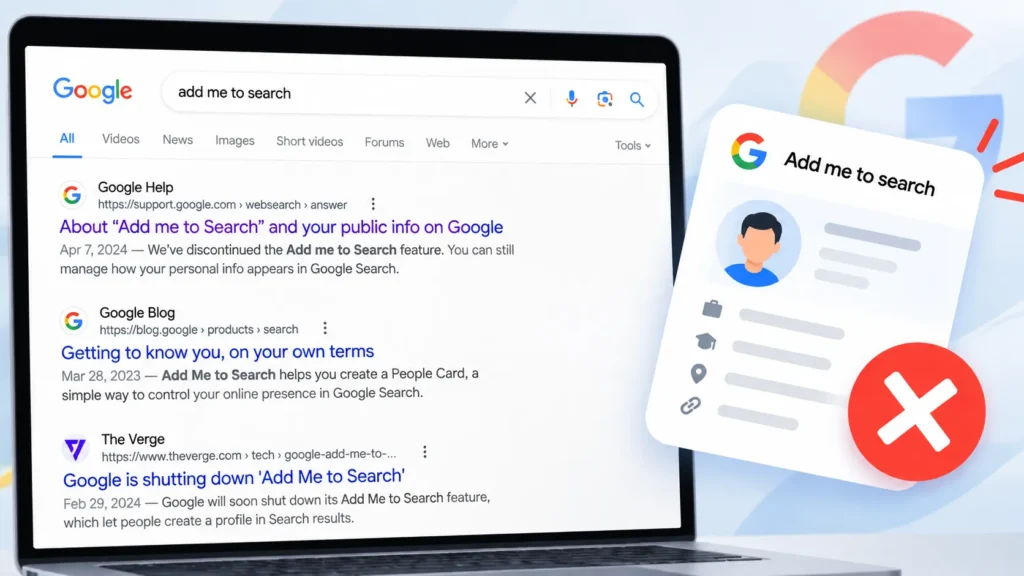
Add me to search was Google’s way of letting ordinary people appear in results for their own name. Google introduced it in India in 2021 for people who had no Wikipedia page and no media coverage.
A people card could hold:
- Your name, occupation and location
- A short bio
- Your website and social profile links
- Optional phone number or email
You needed a Google account and a supported region. Everything on the card was public.
Why Did Google Remove People Cards?
Google said the feature was not helpful enough for users. Search Engine Journal reported that only this one Search feature was affected, and other Google products stayed the same. Reports at the time said users could save their card data until early May 2024, after which it was deleted.
Can You Still Add Yourself to Google Search in 2026?
No. There is no form to fill in and no setting to switch on. Be careful with sites that claim they can still create a people card for a fee. Google ended the feature, so there is nothing to buy.
What you can do is give Google clear, consistent signals about who you are. Google then decides whether and how to show you.
People Card vs What You Can Do Now
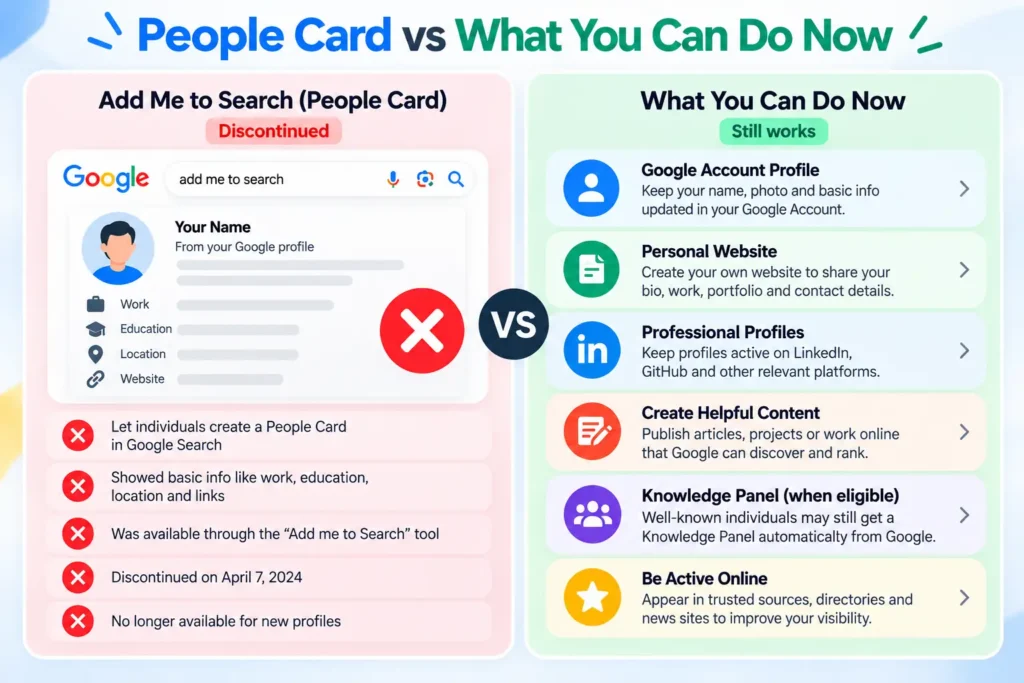
| Method | What it does | Your control | Effort | Approx. cost |
|---|---|---|---|---|
| People card (discontinued) | Showed a profile box for your name | High | Low | Free |
| Personal website with Person schema | Gives Google a clear source about you | High | Medium | $1 to $15 a year for a domain, plus hosting |
| Social profiles (LinkedIn, X, GitHub) | Confirms you are a real, active person | Medium | Low | Free |
| Google Business Profile | Shows a local listing for service businesses | Medium | Medium | Free |
| Knowledge panel | Shows an info box for well known people | Low, Google decides | High | Free |
| Mentions and author pages on other sites | Builds trust from outside sources | Low | High | Free to $ varies |
Costs are approximate. Check your registrar and host for current prices.
How to Show Up on Google for Your Name: Step by Step
Step 1: Pick one name format and keep it
Choose the exact spelling you want to be known by, for example “Rahul Mehta”, and use it everywhere. In practice, mismatched names across profiles are one of the most common reasons Google struggles to connect them.
Step 2: Register a domain with your name
A name based domain such as rahulmehta.in tells Google this site is about you. As a simple example, a $10 domain plus $30 for basic hosting comes to $40 in the first year.
Step 3: Build a clear About page
Put your full name in the H1. Add your role, city, a recent photo and two or three lines on your work. Link to your main profiles from this page.
Step 4: Add Person structured data
Structured data is code that tells search engines the facts about a page in a fixed format. Paste this into your About page and change the details:
json
{
"@context": "https://schema.org",
"@type": "Person",
"name": "Rahul Mehta",
"jobTitle": "SEO Consultant",
"url": "https://www.rahulmehta.in",
"sameAs": [
"https://www.linkedin.com/in/your-profile",
"https://x.com/your-handle"
]
}
The sameAs field lists your other profiles. This is the closest replacement for the links on a people card. It does not guarantee a result, because Google decides what to show.
Step 5: Link both ways
Your website should link to your social profiles, and each profile should link back to your website. A tool like Open Graph tags on your About page also helps, so your name, photo and description look right when the link is shared.
Step 6: Get your name onto other trusted sites
Guest posts with an author bio, interviews, company team pages and event speaker lists all count. Use the same name format and link back to your site each time. A few good mentions help more than many weak ones.
Step 7: Check that Google can index your site
Open Google Search Console, submit your sitemap and use URL Inspection on your About page. If the sitemap has problems, a quick sitemap check will show them. Also review the anchor text of links pointing to your About page. Plain name anchors work best.
Step 8: Search your name every month
Search your name in a private window. Note where your site, LinkedIn and other profiles rank. Fix any profile that has an old job title or a different name spelling.
What About a Knowledge Panel?
A knowledge panel is the info box Google shows for people and entities it already recognises. You cannot create one on request. If one appears for you, Google lets you verify your identity and suggest edits through its “get verified” process. For most people, the steps above are what move you towards one.
Mistakes That Hold Your Name Back
- Using different name spellings on different sites
- Having a personal site that does not link to your profiles
- Leaving old bios online with outdated roles
- Paying for a “people card service” that cannot deliver
- Adding schema that does not match what is visible on the page
FAQs:
Can I still create a Google people card?
No. Google discontinued people cards on April 7, 2024, and the form no longer exists. Use a personal website, social profiles and structured data instead.
When did Google remove add me to search?
Google removed it on April 7, 2024. Users had a short window afterwards to save their data before it was deleted.
How do I add myself to Google search now?
Create a website with your name, add an About page with Person structured data, and link it with your social profiles. Then get your name mentioned on other trusted sites.
Is a knowledge panel the same as a people card?
No. A people card was something you created yourself. A knowledge panel is created by Google, and you can only verify and suggest edits to it.
How long will it take for my site to show up for my name?
After Google indexes your pages, it can take days to a few weeks to see changes. There is no fixed timeline, and common names take longer.