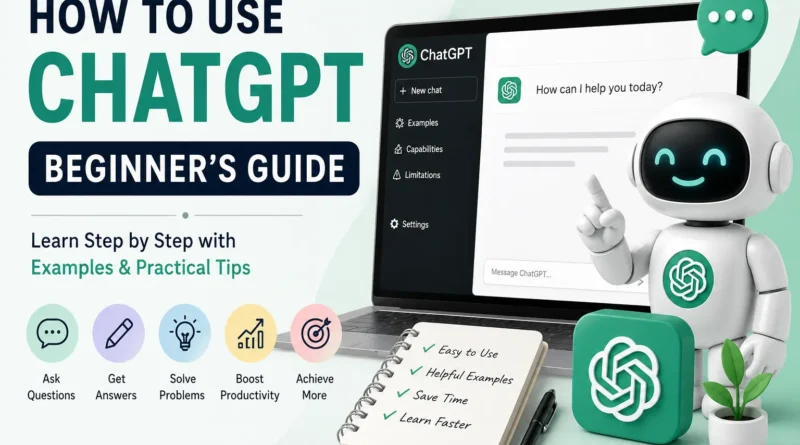
How to Use ChatGPT: Beginner’s Guide with Examples
Artificial Intelligence (AI) is changing the way people learn, work, and solve problems. One of the most popular AI tools today is ChatGPT.
Whether you’re a student, professional, business owner, or simply curious about AI, ChatGPT can help you write, learn, code, brainstorm ideas, and much more.
If you’ve never used ChatGPT before, don’t worry. This guide explains everything in simple language with real-life examples.
What Is ChatGPT?
ChatGPT is an AI chatbot developed by OpenAI. It understands natural language and responds to your questions like a human conversation.
Instead of searching through multiple websites, you can simply ask ChatGPT a question and receive an instant answer.
For example:
You ask:
Explain photosynthesis in simple words.
ChatGPT replies:
Photosynthesis is the process plants use to make food using sunlight, water, and carbon dioxide.
It works like having a personal assistant available 24/7.
What Can You Use ChatGPT For?
ChatGPT can help with hundreds of everyday tasks.
Writing
- Emails
- Blog posts
- Social media captions
- Resume writing
- Cover letters
- Product descriptions
Example Prompt
Write a professional email asking for leave tomorrow.
Learning
- Explain difficult topics
- Solve math problems
- Summarize chapters
- Learn new languages
- Prepare for exams
Example Prompt
Explain Newton’s Laws with simple examples.
Programming
Developers use ChatGPT to:
- Write code
- Find bugs
- Explain programming concepts
- Create websites
- Generate SQL queries
Example Prompt
Write a Python program to calculate factorial.
Business
Business owners use ChatGPT for:
- Marketing ideas
- Customer support replies
- Product descriptions
- SEO content
- Advertisement copy
Daily Life
You can also ask ChatGPT to:
- Plan trips
- Create meal plans
- Suggest workout routines
- Generate shopping lists
- Manage schedules
How to Start Using ChatGPT
Using ChatGPT is easy.
Step 1: Create an Account
Visit ChatGPT’s website or install the mobile app.
Sign up using:
- Google account
- Apple account
- Microsoft account
Step 2: Start a New Chat
Click New Chat.
You’ll see a text box where you can type your question.
Step 3: Ask Your Question
Simply type what you need.
For example:
What are the benefits of drinking water?
Within seconds, ChatGPT generates an answer.
Step 4: Ask Follow-Up Questions
The best part is you don’t need to start over.
You can continue the conversation.
Example:
Explain in simple words.
Then:
Give real-life examples.
Then:
Make it suitable for a Class 8 student.
ChatGPT remembers the conversation.
How to Write Good Prompts
The quality of ChatGPT’s answer depends on your prompt.
A prompt is simply your instruction.
Poor Prompt
Write an article.
This is too vague.
Better Prompt
Write a 1,000-word beginner-friendly article about healthy eating using simple English and include practical tips.
Notice how much more information the second prompt provides.
Excellent Prompt
Write a 1,500-word SEO-friendly article about healthy eating for beginners. Use H2 and H3 headings, FAQs, simple English, examples, and conclude with practical tips.
More details usually lead to better results.
Real-Life Prompt Examples
Student
Prompt
Explain the water cycle for Class 6 students with examples.
Blogger
Prompt
Write a blog outline for “Best Budget Smartphones.”
Digital Marketer
Prompt
Generate 10 Facebook ad headlines for a clothing store.
Developer
Prompt
Create HTML and CSS code for a responsive pricing table.
Job Seeker
Prompt
Improve my resume summary for an SEO Specialist role.
Tips to Get Better Answers
Here are a few simple tricks:
Be Specific
Instead of:
Tell me about dogs.
Ask:
Explain the differences between Golden Retrievers and Labradors.
Mention Your Goal
For example:
Explain this for beginners.
or
Make this suitable for children.
Specify the Format
Examples:
- Bullet points
- Table
- Step-by-step guide
- Checklist
- FAQ
- Professional email
Set the Tone
Examples:
- Friendly
- Professional
- Funny
- Formal
- Casual
Ask for Revisions
If you don’t like the answer, simply ask:
Make it shorter.
or
Add more examples.
or
Simplify the language.
Things ChatGPT Can and Cannot Do
| ChatGPT Can | ChatGPT Cannot |
|---|---|
| Explain concepts | Replace professional medical advice |
| Write content | Predict the future |
| Generate ideas | Know personal information unless you share it |
| Help with coding | Always be correct |
| Summarize documents | Access private files without permission |
Always verify important information, especially for health, legal, and financial topics.
Common Mistakes Beginners Make
Asking Very Short Questions
Example:
SEO
Instead, ask:
Explain SEO for beginners with examples.
Expecting Perfect Answers
AI can make mistakes.
Always fact-check important information.
Giving No Context
Instead of:
Write an email.
Try:
Write a polite email requesting a deadline extension for a college assignment.
Not Using Follow-Up Questions
You can continue improving the answer by asking:
- Add examples.
- Rewrite in simple English.
- Make it shorter.
- Convert into bullet points.
Best Prompt Formula
A simple formula that works well is:
Role + Task + Context + Format + Tone
Example:
Act as an SEO expert. Write a 1,500-word beginner guide on WordPress. Use H2 headings, FAQs, examples, and a friendly tone.
This prompt provides clear instructions and usually results in a more useful response.
Is ChatGPT Free?
Yes. ChatGPT offers a free version that is suitable for many everyday tasks such as writing, learning, brainstorming, and answering questions.
There are also paid plans that provide access to more advanced AI models, faster responses, and additional features.
Frequently Asked Questions (FAQs)
Is ChatGPT easy for beginners?
Yes. ChatGPT is designed to understand everyday language, making it easy for anyone to start using without technical knowledge.
Do I need coding skills to use ChatGPT?
No. You can simply type your questions in plain English and ChatGPT will respond.
Can ChatGPT write complete articles?
Yes. It can create blog posts, essays, reports, emails, and other types of content. However, it’s a good idea to review and edit the output before publishing.
Can students use ChatGPT?
Yes. Students can use ChatGPT to understand concepts, summarize lessons, practice writing, and prepare for exams. It should be used as a learning aid rather than a replacement for studying.
Is ChatGPT always accurate?
Not always. While it is highly capable, it can occasionally provide incorrect or outdated information. Always verify important facts from reliable sources.
Final Thoughts
ChatGPT is one of the easiest AI tools to start using. Whether you’re writing emails, learning a new topic, solving coding problems, or creating content, it can save time and improve productivity.
The key to getting better results is asking clear, detailed questions. As you practice writing better prompts and refining responses, you’ll discover more ways ChatGPT can help in your daily life.