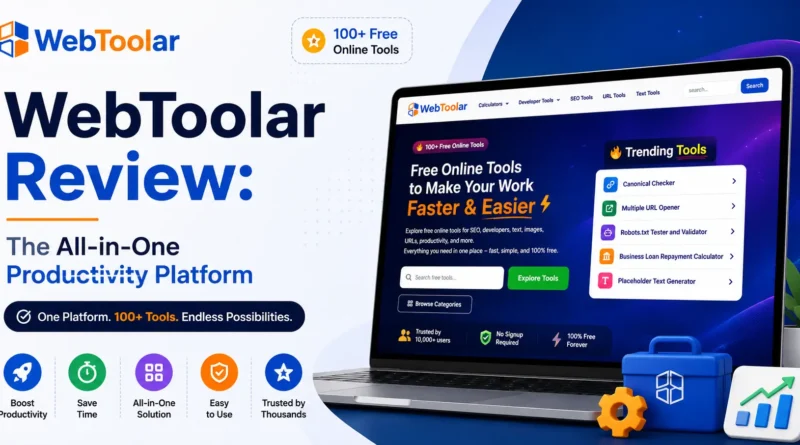
Webtoolar Review: Is This Free Online Tools Platform Actually Worth Using?
Every SEO professional and content marketer ends up with a shortlist of go to utility sites for the small jobs that dedicated software does not cover well: a quick meta tag check, a word count, a robots.txt validation before a launch. I added Webtoolar to my own testing rotation a few weeks ago, and this review is the result of actually working through its tools rather than skimming the homepage copy.
What is WebToolar?
Webtoolar positions itself as a free, no-signup platform, and right now that means SEO Tools, Text Tools, Developer Tools, URL Tools, and Calculators. I say right now because the tool count is not fixed. New tools keep getting added on a regular basis, and the categories themselves feel like they are still expanding rather than settled. That is a broad promise for a free service, so the real question is whether the individual tools hold up once you start using them for actual work. Here is where the platform earns its keep and where it still has room to grow.
SEO Tools: The Strongest Section
If I had to pick the section that impressed me most, it would be SEO Tools. Webtoolar packs in tools most marketers actually reach for on a weekly basis: a Schema Markup Generator and Checker, Meta Tags Analyzer, Meta Title and Description Length Checker, Keyword Density Checker, Keyword Research Tool, Keyword Cluster tool, Robots.txt Generator and Validator, and a solid stack of URL focused utilities like the Broken Link Checker, Canonical Checker, and Internal and External Link Extractor.
What stood out to me is that this is not a random grab bag. The tools cluster around real technical SEO workflows, auditing meta tags, checking crawlability, validating structured data, and cleaning up URLs, which tells me whoever built this actually does SEO work rather than just guessing what marketers might want.
Text Tools: Small Utilities That Save Real Time
The Text Tools section is where the sheer number of small, specific utilities becomes obvious. Word Counter, Character Counter, Sentence Counter, Paragraph Counter, Syllable Counter, Average Word Length Calculator, and a Shortest Word Finder all live here, alongside case converters, a text sorter, duplicate line remover, line break remover, and a text comparison tool.
None of these are groundbreaking on their own. You can find a word counter anywhere. But having twenty plus of them under one roof, with consistent design and no ads interrupting the actual input box, means I did not have to bookmark five different single purpose websites. For writers, editors, and content teams doing repetitive formatting work, this section alone justifies a bookmark.
Developer Tools, URL Tools, and Calculators
The Developer Tools section covers JSON formatting and validation, encoding and decoding utilities, and XML handling, the kind of quick checks developers reach for when debugging an API response rather than opening a full IDE.
URL Tools overlaps a bit with the SEO section, which makes sense since URL hygiene is an SEO concern too. Bulk URL Opener, URL List Cleaner, Domain Extractor, and URL Comparison Tool are the ones I found genuinely useful for cleaning up spreadsheets full of messy links before an audit.
Calculators round things out with Finance (mortgage, auto loan, business loan, EMI calculators), Health (BMI, BMR, calorie, body fat), and Date and Time calculators. These are aimed less at marketers and more at everyday visitors, which broadens who the site is useful for beyond just SEO and content people.
Design and User Experience
Visually, Webtoolar sticks to a clean, light interface without the clutter that a lot of ad supported tool sites carry. Each tool page is scoped tightly around its function, so switching between tools feels consistent instead of jarring. I did not run into broken layouts or tools that failed to load, and everything worked directly in the browser without needing a plugin or extension.
If I have one critique, it is that with 100 plus tools already live and more being added regularly, discoverability could be easier. A stronger on site search or a “related tools” section on each tool page would help people find neighboring utilities they didn’t know existed, especially as the catalog keeps growing.
Is Webtoolar Worth Using
For SEO professionals, content writers, students, developers doing quick checks, and small business owners who need a mortgage or loan calculator without downloading an app, Webtoolar earns its place as a bookmark. It is not trying to replace dedicated SEO suites like Ahrefs or Semrush, and it should not be judged against them. Its value is in being fast, free, and specific: you need one small task done, you find the matching tool, you get your answer, and you move on.
Pros
- Genuinely free, no signup or paywall on any tool I tested
- Wide coverage across SEO, text, developer, URL, and calculator needs
- Clean, consistent, ad light interface
- Tools load directly on the page, no downloads
Cons
- Site navigation can feel dense given the sheer tool count
Final Verdict
Webtoolar does not try to be flashy, and that is honestly its biggest strength. It is a practical, no nonsense collection of free tools built by people who clearly understand what SEO professionals, writers, and everyday users actually need on a daily basis. And since the platform is still adding new tools and categories rather than standing still, it is worth checking back on every so often rather than treating this as a one time visit. If you are the kind of person who keeps five different tab groups open just for quick checks and calculators, Webtoolar can realistically replace most of them with one, and probably more as it keeps growing.
Rating: 4.9 out of 5