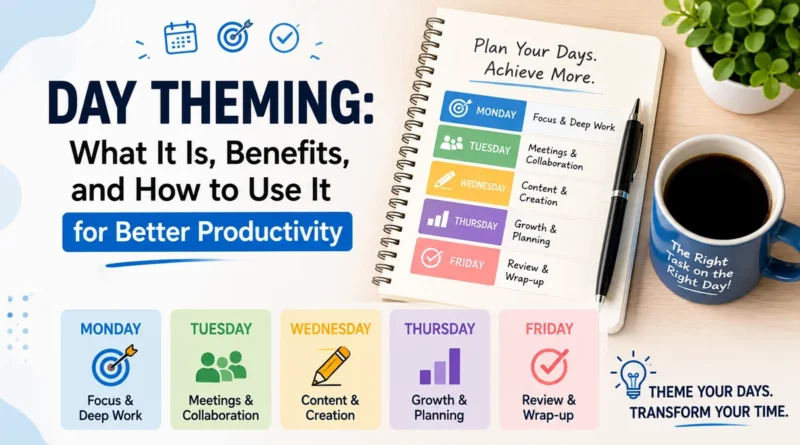
Day Theming: What It Is, Benefits, and How to Use It for Better Productivity
Most people try to do everything in one day. Emails in the morning, a meeting at noon, creative work in the afternoon, and admin tasks squeezed in whenever there is time.
This constant switching feels productive, but it actually slows you down. Every time your brain jumps from one type of task to another, it loses focus and needs time to reset.
This hidden cost is called context switching, and it is one of the biggest reasons people feel busy all day but finish very little.
Day theming offers a simple fix. Instead of mixing different types of work every day, you assign each day of the week a specific theme or focus area. One day is for meetings, another for deep work, another for admin tasks.
This method has been used by successful entrepreneurs and productivity experts, including Jack Dorsey, the co-founder of Twitter (X) and Square, who famously divided his week into themed days to manage two companies at once.
This article explains what day theming is, why it works, and how you can apply it to your own week for better focus and less mental fatigue.
What Is Day Theming
Day theming is a time management technique where each day of the week is dedicated to one main category of work. Instead of scattering similar tasks across multiple days, you group them together and assign them a fixed day.
For example, a small business owner might set up their week like this:
| Day | Theme | Example Tasks |
|---|---|---|
| Monday | Planning and Strategy | Weekly goals, review targets, plan content |
| Tuesday | Meetings | Client calls, team check-ins, interviews |
| Wednesday | Deep Work | Writing, coding, designing, problem solving |
| Thursday | Marketing and Outreach | Social media, emails, networking |
| Friday | Admin and Review | Invoices, reports, weekly review |
This structure removes the need to decide what to work on every single day. The decision is already made. You simply open your calendar and know exactly what type of work is expected.
Day theming is closely related to time blocking, but it works on a bigger scale. Time blocking organizes hours within a single day, while day theming organizes entire days within a week.
Why Day Theming Works
The main reason day theming is effective comes down to how the human brain handles focus. Research on productivity and cognitive science shows that switching between unrelated tasks can reduce output significantly, because the brain needs time to fully engage with a new type of work each time it switches.
Day theming reduces this switching cost by grouping similar tasks together. When you spend an entire day on one type of work, your brain stays in the same mode and does not waste energy adjusting again and again.
Here are the core reasons this method works so well:
1. Less decision fatigue: When your day already has a theme, you do not spend time each morning wondering what to prioritize. The theme itself becomes the priority.
2. Deeper focus: Working on related tasks for a full day allows you to enter a state of flow, where concentration is highest and work quality improves.
3. Better energy management: Certain tasks, like creative work, need high mental energy, while others, like admin work, need less. Day theming lets you match your energy levels with the right type of task on the right day.
4. Clearer boundaries: Themed days make it easier to say no to tasks that do not fit that day, which protects your schedule from constant interruptions.
Benefits of Day Theming
Day theming offers several practical benefits, especially for people juggling multiple responsibilities, projects, or businesses.
- Improved productivity: Grouping similar tasks reduces wasted time and increases output per hour.
- Reduced stress: Knowing what to expect each day removes the daily guesswork and mental load.
- Better work life balance: You can even assign personal themes, such as a day for family time or health related tasks, keeping personal goals visible in your schedule.
- Stronger accountability: Teams and freelancers can use themed days to set client expectations, such as no client calls on deep work days.
- Easier weekly planning: Instead of planning daily, you plan once a week, which saves significant time over a month.
Real World Example
Jack Dorsey publicly shared that he divided his week into themes such as management, product, marketing, and company culture, while running both Twitter and Square at the same time. This structure allowed him to give focused attention to each company without mixing responsibilities every day. This is a strong real world example of how day theming supports leaders managing multiple priorities.
Freelancers and content creators also use this method widely. A common setup for a content creator looks like this: Monday for content planning, Tuesday and Wednesday for writing or filming, Thursday for editing, and Friday for publishing and promotion.
How to Set Up Day Theming for Yourself
Setting up day theming does not require any special tool. A calendar, planner, or even a notebook is enough. Follow these steps to build a system that fits your work.
Step 1: List Your Recurring Task Categories
Write down the main types of work you do regularly. Common categories include meetings, deep work, admin, marketing, learning, and personal tasks.
Step 2: Match Categories to Days
Assign each category to a day based on your natural energy and existing commitments. For example, if Mondays are usually slow, use that day for planning rather than high energy creative work.
Step 3: Protect Your Themed Days
Once a theme is set, avoid scheduling unrelated tasks on that day. If a client wants a call on your deep work day, offer an alternative slot on your meeting day instead.
Step 4: Combine with Time Blocking
Within each themed day, use time blocking to break the day into smaller focused sessions. This adds an extra layer of structure and prevents even themed days from becoming unfocused.
Step 5: Review and Adjust Weekly
Day theming is not fixed forever. Review your week every Friday or Sunday and adjust the themes based on what worked and what did not.
Common Mistakes to Avoid
- Making themes too rigid: Leave some buffer time for urgent tasks that cannot wait for their themed day.
- Ignoring energy levels: Do not place high focus work on days when you are naturally low on energy.
- Overloading one day: A themed day should still have realistic limits. Cramming too much into one category defeats the purpose.
- Skipping the review step: Without regular review, themes can become outdated as your priorities shift.
Frequently Asked Questions
Is day theming suitable for full time employees?
Yes, though it works best when you have some control over your calendar. Employees can theme parts of their day, such as mornings for focused work and afternoons for meetings, even if full day theming is not possible.
How is day theming different from time blocking?
Time blocking organizes hours within a single day. Day theming organizes entire days within a week. Many people use both methods together for maximum structure.
Can day theming work for teams, not just individuals?
Yes. Teams can set shared themed days, such as a company wide meeting free day, to protect focused work time across the whole organization.
What if an urgent task does not match the day’s theme?
Handle true emergencies immediately. Day theming works best for planned, recurring work, not for unpredictable urgent issues, which should always take priority when they arise.
Final Thoughts
Day theming brings order to a busy week by giving each day a clear purpose. It reduces the mental cost of constant task switching, protects focused work time, and makes weekly planning far simpler. Whether managing a business, a team, or personal projects, assigning themes to your days can lead to noticeably better focus and less daily stress.
Start small. Pick just two or three days next week and assign them a theme. Once you feel the difference in focus, expand the system across your full week.