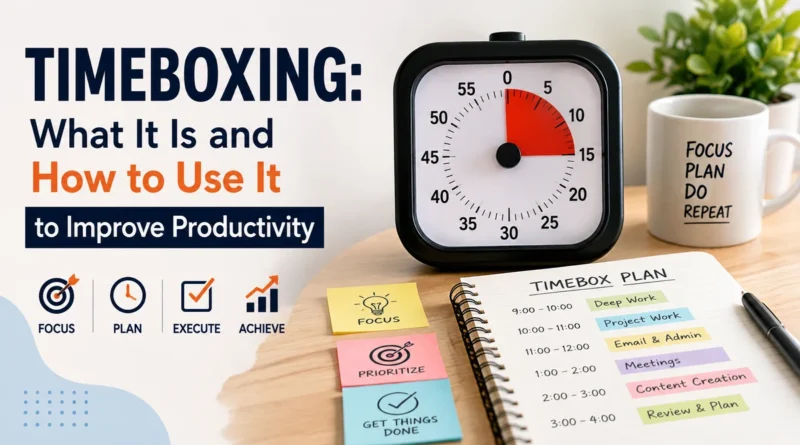
Timeboxing: What It Is and How to Use It to Improve Productivity
Most people make a to do list and hope the day goes well. It rarely does. Tasks take longer than planned, small distractions eat up hours, and important work gets pushed to tomorrow. Timeboxing fixes this problem by giving every task a fixed slot of time on your calendar, so your day has structure instead of guesswork.
This article explains what timeboxing is, how it works, how it is different from time blocking, and how you can start using it today to get more done with less stress.
What Is Timeboxing
Timeboxing is a time management method where you assign a fixed, limited amount of time to a task before you start it, and you stop working on that task when the time is up, whether the task is finished or not.
For example, instead of writing “work on report” on your to do list, timeboxing says “write report from 10:00 AM to 11:00 AM.” The task now has a clear start time, a clear end time, and a deadline pressure that pushes you to focus.
This method was popularized by author James Martin in his 1991 book on rapid application development, where it was used to keep software projects on schedule. Today it is used by professionals, students, and business owners to manage daily work.
How Timeboxing Works
Timeboxing works on a simple idea: time is limited, so work should be limited too. Here is how the process works in practice.
- Pick a task you want to complete.
- Estimate how much time it realistically needs.
- Set a timebox, meaning a fixed start and end time, on your calendar.
- Work only on that task until the timebox ends.
- Stop when time is up, even if the task is not fully done, and decide whether it needs another timebox or can wait.
This last step is what makes timeboxing powerful. It forces you to respect the clock instead of letting one task expand and swallow your entire day. This effect is closely linked to Parkinson’s Law, which states that work expands to fill the time available for it. A timebox limits that expansion.
Timeboxing vs Time Blocking: What Is the Difference
People often confuse timeboxing with time blocking, but the two methods have an important difference.
| Feature | Timeboxing | Time Blocking |
|---|---|---|
| Main goal | Limit time spent on a task | Organize the full day into blocks |
| Flexibility | Strict, stops when time ends | Flexible, blocks can shift |
| Best for | Tasks with no fixed length, like writing or planning | Tasks with a known length, like meetings |
| Pressure | Creates urgency to finish faster | Creates structure, not urgency |
In short: time blocking decides when you will do a task, while timeboxing decides how long you are allowed to do it. Many people use both methods together, blocking their calendar into sections and then applying a timebox to the harder tasks inside those blocks.
Benefits of Timeboxing
Timeboxing offers several real benefits that make it worth adding to your daily routine.
- Reduces procrastination: A fixed time slot removes the excuse of “I will start later.”
- Improves focus: Knowing the clock is running keeps distractions away.
- Fights perfectionism: A limited timebox stops endless editing and overthinking.
- Makes planning realistic: You can only fit so many timeboxes in a day, so your to do list stays honest.
- Lowers stress: Work feels contained instead of open ended and overwhelming.
Example: A content writer plans to write a blog post. Without a timebox, the writer may spend the entire day editing one paragraph. With a 90 minute timebox, the writer sets a timer, writes a full draft, and stops at the deadline, even if it needs small fixes later. The task moves forward instead of getting stuck.
How to Start Timeboxing: Step by Step
Starting timeboxing does not need any special app or tool. A simple calendar and a timer are enough.
- List your tasks for the day or week.
- Estimate honestly how long each task will actually take, and add a small buffer.
- Block the time on your calendar with a start time and end time.
- Use a timer so you get an alert when the timebox ends.
- Review at the end of the day which timeboxes worked and which need adjustment.
Over the first week, your time estimates will not always be accurate. That is normal. Timeboxing gets easier once you learn how long your real tasks actually take, not how long you assume they take.
Related Articles: How to prioritize tasks
Tools You Can Use for Timeboxing
You do not need expensive software to practice timeboxing. Some common tools include:
- Google Calendar or Outlook Calendar: Create colored event blocks for each timebox.
- A simple kitchen timer or phone timer: Alerts you the moment a timebox ends.
- Notion or Trello: Useful for planning tasks before assigning them a timebox.
- Pen and paper: Still one of the most effective tools for daily timeboxing, since writing it down builds commitment.
Common Mistakes to Avoid in Timeboxing
- Setting timeboxes that are too short: Leaves no room for real thinking or deep work.
- Ignoring buffer time: Back to back timeboxes with no gap lead to burnout.
- Not tracking actual time spent: Without review, your estimates never improve.
- Trying to timebox everything: Creative work sometimes needs open, unscheduled time. Use timeboxing for tasks that tend to drag on, not for every single activity.
Frequently Asked Questions
Is timeboxing good for students?
Yes. Students can use timeboxing for study sessions, assignments, and revision, since it keeps subjects from being ignored and prevents last minute cramming.
How long should a timebox be?
Most timeboxes work best between 25 minutes and 90 minutes, depending on the task. Short administrative tasks need shorter boxes, while deep, focused work needs longer ones.
Can timeboxing be used with the Pomodoro Technique?
Yes. The Pomodoro Technique is actually a specific form of timeboxing that uses a fixed 25 minute work session followed by a short break.
Conclusion
Timeboxing turns a vague to do list into a real, structured plan by giving every task a clear start time, end time, and deadline. It reduces procrastination, controls perfectionism, and makes your daily planning honest and realistic. Start small, pick two or three tasks tomorrow, give each one a fixed timebox, and notice how much more gets done by the time the clock runs out.