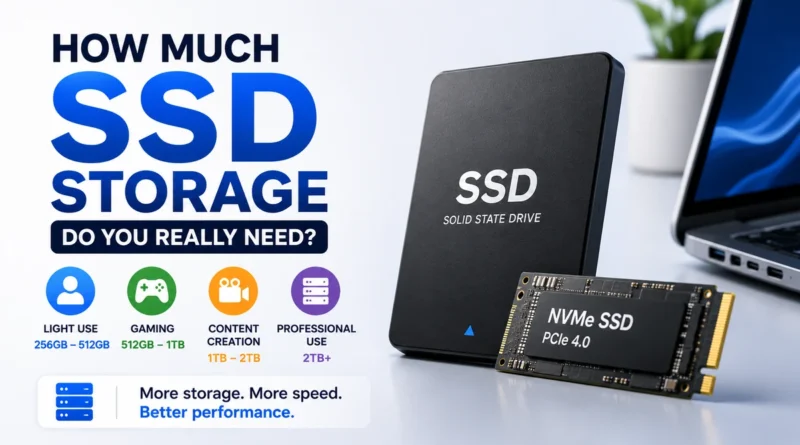
How Much SSD Storage Do You Really Need?
Choosing the right SSD size can be tricky. Too small and you will constantly delete files. Too big and you may spend money on space you never use.
This guide explains how to pick the best SSD storage for your needs, whether you use your computer for basic work, gaming, or heavy creative projects.
Why SSD Size Matters
- Cost – Larger SSDs are faster but cost more.
- Performance – SSDs need some free space to stay fast.
- Future growth – Software, games, and media files keep getting bigger every year.
Getting the right balance saves money and avoids slowdowns.
Related: SSD vs RAM
Things to Think About Before You Decide
- Daily use – Are you only browsing the web or editing 4K videos?
- Operating system space – Windows, macOS, or Linux plus updates need room.
- Programs and apps – Big apps like Photoshop or large games eat storage quickly.
- Media files – Photos and videos take far more space than documents.
- Free space buffer – SSDs work best when they are not completely full.
Recommended SSD Sizes for Different Users
| SSD Size | Best For | Notes |
| 128 GB | Very light use: documents, web browsing, small apps | Fills up fast, not good for gaming |
| 256 GB | Office work, school tasks, light apps | Manageable if you do not store large media |
| 512 GB | General use, some games, lots of apps | Good balance for most laptop and desktop users |
| 1 TB | Gamers, media lovers, light video editing | Plenty of room for modern games and movies |
| 2 TB or more | Heavy gaming, 4K/8K video, professional work | Ideal for creators who store huge files |
Keep Some Space Free
An SSD slows down if it is almost full.
Aim to leave at least 10–20% free for best speed and long life.
This free space is used by the drive to move and write data efficiently.
Special Use Cases
Gaming
Modern games can be 50–150 GB each.
If you like to keep many big titles installed, 1 TB or more is a smart choice.
Video and Photo Editing
High-resolution videos and RAW photos create massive files.
Creators often use 1–2 TB SSDs for working files and a second drive or external backup for older projects.
Dual Drive Setup
Many users combine a smaller SSD for the system and apps with a larger SSD or HDD for storage.
This keeps costs down while keeping the computer fast.
Fix Issue: Blue Screen of Death (BSOD) Errors
Quick Answers to Common Questions
Is 256 GB enough?
Yes for light use like documents and web, but it will feel small for gaming or large photo libraries.
Is 1 TB too much?
Not if you play games, store videos, or plan to keep the computer for years.
Extra space saves you from upgrading too soon.
Should I get two drives?
A small SSD for the system plus a bigger SSD or HDD for media is often the best value.
Summary Table
| User Type | Minimum | Ideal |
| Basic office & web | 256 GB | 512 GB |
| Casual gamer | 512 GB | 1 TB |
| Heavy gamer | 1 TB | 2 TB |
| Photo/Video creator | 1 TB | 2 TB or more |
| Professional editor | 2 TB | 4 TB or multiple SSDs |
Final Tip
Think about how you actually use your computer today and how that might change in the next few years.
It is cheaper to buy a little more space now than to replace your drive too soon.