I’m Feeling Lucky on Google: What It Does and How It Works
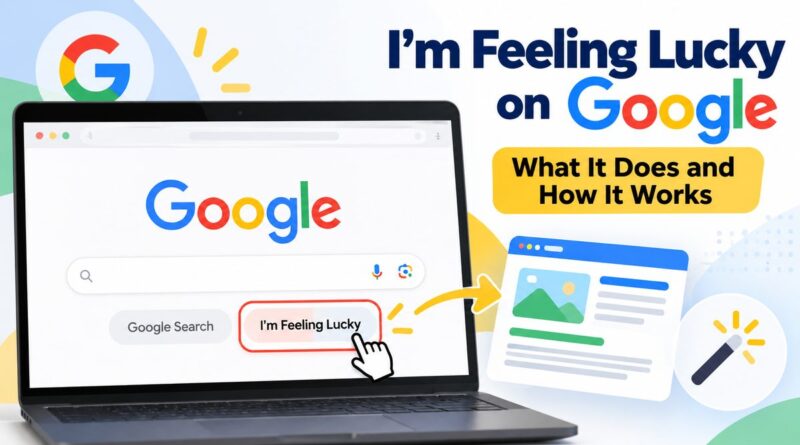
I’m Feeling Lucky is a button on the Google homepage that takes you straight to the top result for your search. You type your query, click the button, and the website opens directly. You never see the results page. It is part of Google since 1998, and Google is now testing ways to replace or hide it.
What Is I’m Feeling Lucky on Google?
I’m Feeling Lucky is a search shortcut that sits next to the “Google Search” button on desktop. It is not a random pick. It opens the page Google would have placed first on the normal results page for the same words.
Google added it in 1998, right after the company was founded. The idea was simple: Google trusted its first result enough to open it for you.
Think of it like asking a shopkeeper for “the best one” instead of looking at the whole shelf.
You may like: Google Word Coach
How I’m Feeling Lucky Works
You wonder: What does I’m Feeling Lucky do on Google?
It takes you straight to the first page Google would show for your search. You skip the results page and the ads.
YI’m Feeling Lucky takes you straight to the one page Google ranks highest for your search. You skip the results page, the ads and the list of links. It is a shortcut for people who already know what they are looking for.
When you type a search and click the button, Google does three things:
- Checks your search. It runs the words through the same ranking systems as a normal search.
- Picks one page. It chooses the page it ranks first for your exact words.
- Opens it for you. Your browser goes straight to that website, with no results page in between.
It is not a random pick. It is the page Google would have shown at the top, opened for you before you can scroll.
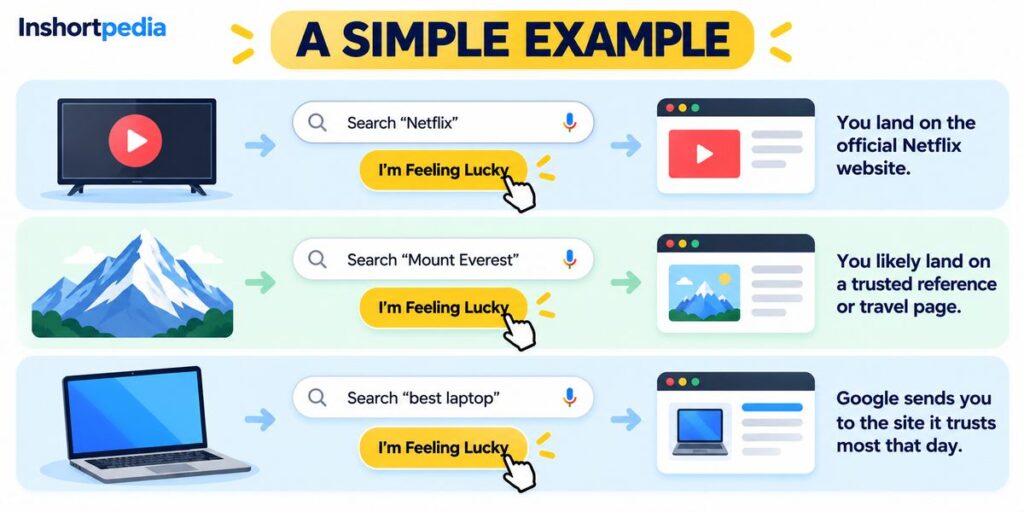
A Simple Example
| You search | Where you will likely land |
|---|---|
| Netflix | The official Netflix website, because there is one clear answer |
| Mount Everest | A trusted reference or travel page, because many good pages compete |
| best laptop | Whichever site Google trusts most that day, and it can change |
The more specific your search, the more likely you land where you expect. Broad searches like “best laptop” can open a different page on different days, or in different countries.
I’m Feeling Lucky vs Google Search
| Feature | Google Search button | I’m Feeling Lucky |
|---|---|---|
| What you see | A page of results, ads and answer boxes | One website, opened directly |
| Who chooses | You | |
| Ads shown | Yes | No, the results page is skipped |
| Best for | Research and comparing options | Known sites and exact names |
| Main risk | Takes more time | May open the wrong page |
How to Use I’m Feeling Lucky
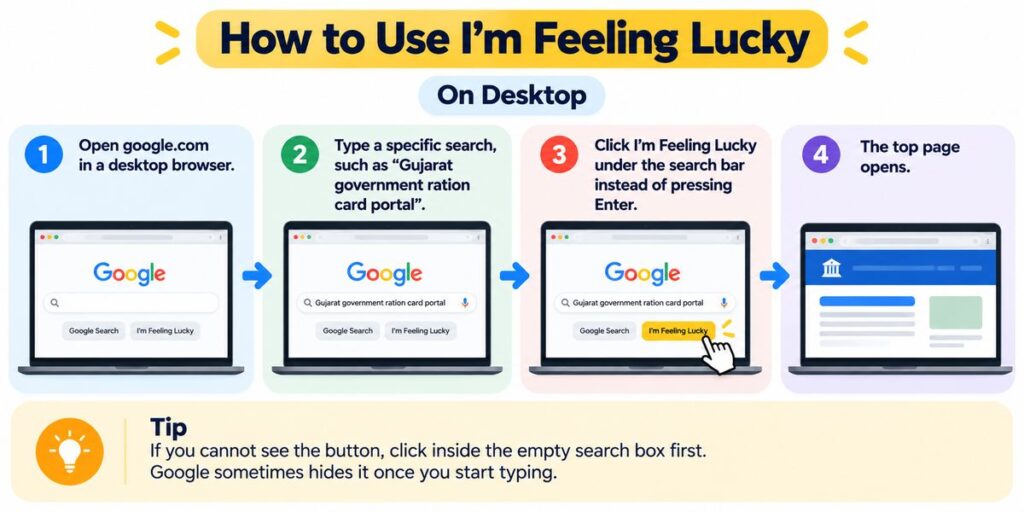
On Desktop
- Open google.com in a desktop browser.
- Type a specific search, such as “Gujarat government ration card portal”.
- Click I’m Feeling Lucky under the search bar instead of pressing Enter.
- The top page opens.
If you cannot see the button, click inside the empty search box first. Google sometimes hides it once you start typing.
From the Address Bar
You can also trigger it with a web address. Add btnI to a Google search link:
https://www.google.com/search?q=your+search&btnI
Replace spaces in your search with plus signs. If your search has special characters, run it through a URL encoder and decoder first. Google may show a short redirect notice before it opens the page, so test it in your browser before you rely on it. Many people save this link as a custom search shortcut in Chrome or Firefox for a one step lucky search.
On Mobile
The button does not show on the standard mobile homepage. The address bar method above can work in a mobile browser, but results can vary.
The History of I’m Feeling Lucky
Two numbers are often repeated about this button. Both are old and are attributed to former Google executive Marissa Mayer, so treat them as history, not current data:
- About 1% of searches used the button.
- Skipping the results page was said to cost Google roughly $110 million a year in ad revenue.
At an example rate of ₹90 per dollar, $110 million is about ₹990 crore. Google kept the button anyway, because it made the homepage feel simple and a little playful.
The Hidden “Moods” Under the Button
If you hover over the button with an empty search box, the label used to change. These moods were reported to open different pages:
| Mood | Where it was reported to go |
|---|---|
| I’m feeling doodly | Archive of Google Doodles |
| I’m feeling hungry | Nearby restaurant results |
| I’m feeling trendy | Google Trends top stories |
| I’m feeling artistic | Art and culture collections |
| I’m feeling wonderful | Landmark and wonders content |
This was tied to the US homepage and may not work for you. Check on your own device before you count on it.
Why Is I’m Feeling Lucky Missing? Is It Going Away?
It may be going away, but Google has not made a final decision. In May 2025, Google tested swapping the button for an AI Mode button. Google told The Verge that this was just one of many experiments. seroundtable
On Oct 1, 2026, SERoundtable reported that the button is gone for some people once they start typing, and sometimes appears next to AI buttons. A different test, covered by Tom’s Guide, removes the Google Search button on a redesigned homepage while keeping I’m Feeling Lucky. seroundtabletomsguide
If your button is missing, you are probably in a test group. Try a desktop browser, a signed out window, or a different browser.
I’m Feeling Lucky vs AI Mode
| I’m Feeling Lucky | AI Mode | |
|---|---|---|
| What you get | One existing web page | A written answer from Google’s AI |
| Where you end up | On the source website | Inside Google |
| Follow up questions | No | Yes |
| Best for | Quick jump to a known site | Complex questions |
A Similar Shortcut on Other Search Engines
DuckDuckGo has the same idea. Start your search with a backslash, like \wikipedia, and it jumps to the first result.
What It Means for Website Owners
You cannot target this button directly. But if Google opens your page for it, that page was a clear first result. These steps strengthen the same signals:
- Keep your sitemap free of errors, which a sitemap checker can confirm.
- Use clear anchor text on internal links.
- Match your page title to the name people actually search.
- Keep one main page for each topic, so Google has one clear choice.
FAQs about I’m Feeling Lucky on Google
Is I’m Feeling Lucky still on Google?
Yes for most people, but Google is testing homepages where it is replaced or hidden. These are tests, and Google has not said it will remove the button for everyone.
Why did my I’m Feeling Lucky button disappear?
You may be in a test group, or the button may hide when you start typing. Click the empty search box, or try a desktop browser or a signed out window.
Is I’m Feeling Lucky random?
No. It opens the page Google ranks first for your exact words. Different wording can give a different page.
Does I’m Feeling Lucky work on mobile?
Not by default on the standard mobile homepage. The btnI address method may work in a mobile browser, but results can vary.
Why did Google create I’m Feeling Lucky?
Google launched it in 1998 to show confidence in its first result. It also gave the homepage a simple, playful feel.