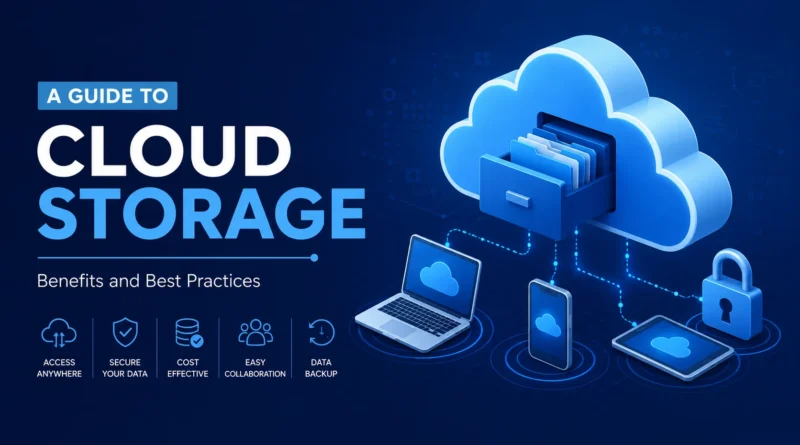
A Guide to Cloud Storage: Benefits and Best Practices
Cloud storage has become a normal part of daily life for individuals and businesses alike. From saving family photos to backing up entire company databases, more people are moving their files away from physical hard drives and into the cloud. But what exactly is cloud storage, why does it matter, and how can you use it the right way? This guide breaks it all down in simple language so you can make smart decisions about where and how you store your data.
What Is Cloud Storage?
Cloud storage is a service that lets you save your files, documents, photos, and data on remote servers instead of your local device. These servers are maintained by cloud providers and accessed through the internet. Instead of carrying a USB drive or filling up your laptop’s hard disk, you simply upload your files to a cloud platform and access them anytime, from any device with an internet connection.
Popular cloud storage providers include Google Drive, Dropbox, Microsoft OneDrive, and Amazon S3. Each one offers different storage limits, pricing plans, and features, but the core idea remains the same: your data lives online, not just on one physical machine.
Why Cloud Storage Matters Today
The amount of digital data created every day keeps growing. Photos, videos, work documents, business records, and app data all need a safe place to live. Relying only on a laptop or external drive is risky because devices can break, get lost, or get stolen. Cloud storage solves this problem by keeping a secure copy of your data on remote servers that are built for reliability.
Businesses especially depend on cloud storage to keep operations running smoothly. Teams working from different locations need shared access to files in real time. Cloud storage makes that possible without needing to email documents back and forth or manage complicated internal servers.
You may like: SSD vs HDD
Key Benefits of Cloud Storage
1. Access Your Files From Anywhere
One of the biggest advantages of cloud storage is accessibility. As long as you have an internet connection, you can open your files from a laptop, phone, or tablet. This is especially useful for remote work, travel, or simply switching between devices during the day.
2. Automatic Backup and Data Protection
Protecting your data with a backup plan is important thing. Most cloud storage services automatically back up your files as soon as they are uploaded. This means if your laptop crashes or your phone gets damaged, your data is still safe in the cloud. Many providers also keep multiple copies of your files across different data centers, which lowers the chance of permanent data loss.
3. Easy File Sharing and Collaboration
Cloud storage makes sharing files simple. Instead of sending large attachments through email, you can share a link that gives others access to a document, folder, or project. Many platforms also support real time collaboration, so multiple people can edit the same file at once without confusion over versions.
4. Cost Effective Storage
Buying physical hard drives or maintaining an in house server can be expensive, especially for growing businesses. Cloud storage providers offer flexible pricing plans, including free tiers for personal use and scalable plans for businesses. You only pay for the storage you actually need, and you can upgrade or downgrade as your needs change.
5. Scalability for Growing Needs
As your data grows, cloud storage grows with you. There is no need to buy new hardware or worry about running out of space. Most providers let you increase your storage limit within minutes, which is far more convenient than physically upgrading equipment.
6. Improved Security Features
Reputable cloud storage providers invest heavily in security. This includes data encryption, two factor authentication, and regular security audits. While no system is completely risk free, cloud platforms often provide stronger protection than the average personal device.
Common Use Cases for Cloud Storage
- Storing personal photos and videos safely
- Backing up important documents like tax records or contracts
- Sharing large files with clients or coworkers
- Hosting website assets and media files
- Supporting remote teams with centralized file access
- Running backup systems for business critical data
Best Practices for Using Cloud Storage Safely
Choose a Reliable Provider
Not all cloud storage services are the same. Look for providers with a strong track record, clear privacy policies, and good customer support. Read reviews and compare storage limits, pricing, and security features before committing to a plan.
Enable Two Factor Authentication
Adding two factor authentication to your cloud account gives you an extra layer of protection. Even if someone gets your password, they would still need a second verification step to access your files.
Organize Your Files With a Clear Structure
A messy cloud folder can be just as frustrating as a cluttered desk. Create clear folder names and a logical structure so you can find files quickly. This becomes especially important as your storage grows over time.
Set Proper Sharing Permissions
Before sharing a file or folder, check who has access to it. Many cloud platforms let you control whether someone can only view a file or also edit it. Review sharing settings regularly to avoid giving unnecessary access to old collaborators.
Keep a Local Backup for Critical Files
While cloud storage is reliable, it is still smart to keep a local backup of your most important files. This gives you a safety net in case of account issues, accidental deletion, or service outages.
Monitor Your Storage Usage
Most providers show how much storage you have used and how much is left. Checking this regularly helps you avoid running out of space at an inconvenient time and lets you clean up unnecessary files before they pile up.
Understand the Provider’s Data Policies
Before uploading sensitive information, read the provider’s terms of service and privacy policy. Understand how your data is stored, whether it is encrypted, and what happens to your files if you cancel your subscription.
Cloud Storage for Businesses vs Personal Use
Personal cloud storage is usually simple, focused on photos, documents, and everyday backups. Business cloud storage, on the other hand, often needs more advanced features like team permissions, activity logs, compliance support, and integration with other business tools. When choosing a plan, think about whether you need personal convenience or business grade control and reporting.
Frequently Asked Questions
Is cloud storage safe for sensitive documents? Yes, as long as you choose a trusted provider with strong encryption and enable security features like two factor authentication. Avoid uploading highly sensitive data to free or unverified platforms.
What happens to my files if I stop paying for cloud storage? Most providers give you a grace period to download your files before reducing access or deleting data. Always check the provider’s policy so you are not caught off guard.
Can I access cloud storage without an internet connection? Some cloud storage apps offer offline access to selected files, which sync automatically once you reconnect to the internet. Full functionality, however, usually requires an active connection.
How much cloud storage do I actually need? This depends on your usage. Personal users often do well with a few gigabytes to a few hundred gigabytes, while businesses handling large media files or big datasets may need several terabytes.
Final Thoughts
Cloud storage has changed the way people and businesses manage their data. It offers convenience, security, and flexibility that traditional storage methods simply cannot match. By choosing a trustworthy provider and following simple best practices like enabling two factor authentication, organizing files properly, and reviewing sharing permissions, you can get the most out of cloud storage while keeping your data safe.
Whether you are backing up family photos or managing a growing business, understanding how cloud storage works puts you in a better position to protect your files and work more efficiently.