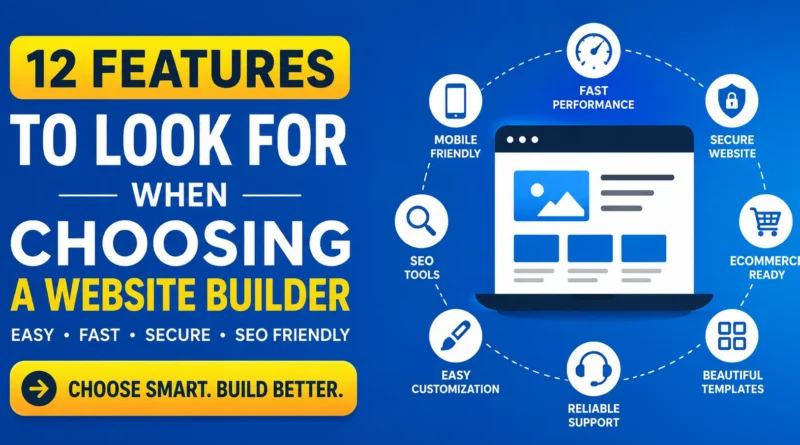
12 Features to Look for When Choosing a Website Builder
Building a website has never been easier. Whether you want to start a blog, launch an online store, create a portfolio, or grow your business, choosing the right website builder is the first step.
If you’re starting from scratch, know how to create a free website without coding before choosing a platform.
With so many website builders available, it can be difficult to know which one is the best fit. Every platform offers different tools, pricing, and features. Picking the wrong one may lead to slow websites, poor SEO, or expensive upgrades later.
This guide explains the 12 most important features to look for when choosing a website builder so you can make the right decision from the beginning.
Why Choosing the Right Website Builder Matters
A website builder affects much more than just your website’s appearance. It influences:
- Website speed
- Search engine rankings
- Mobile experience
- User engagement
- Security
- Future scalability
- Online sales
A good website builder helps you grow without needing advanced coding skills.
12 Key Features to Look for in a Website Builder
1. Easy-to-Use Interface
The first feature to consider is ease of use.
A beginner-friendly website builder should allow you to create pages using drag-and-drop tools instead of writing code.
Look for features like:
- Drag-and-drop editor
- Visual page builder
- Live editing
- Easy navigation
- Simple dashboard
This saves time and makes website management much easier.
Best for: Beginners, bloggers, freelancers, and small businesses.
2. Professional Templates
Templates determine how your website looks.
Choose a builder that provides modern, responsive, and customizable templates suitable for different industries.
Good templates should include:
- Business websites
- Online stores
- Portfolios
- Blogs
- Restaurants
- Agencies
- Personal websites
Responsive templates automatically adjust to desktops, tablets, and smartphones.
3. Mobile Responsiveness
More than half of internet users browse websites on mobile devices.
Your website should:
- Load quickly on phones
- Display correctly on every screen size
- Have easy-to-click buttons
- Use readable fonts
- Maintain good navigation
Google also uses mobile-first indexing, making mobile optimization essential for SEO.
4. Built-in SEO Tools
SEO helps people find your website through search engines.
A good website builder should include built-in SEO features like:
- Custom page titles
- Meta descriptions
- URL customization
- Image alt text
- XML sitemap
- Robots.txt support
- Canonical URLs
- Schema markup support
- Redirect management
- Internal linking options
These features improve your chances of ranking higher on Google and AI-powered search engines.
5. Fast Website Performance
Website speed affects both visitors and search rankings.
Choose a website builder that offers:
- Fast hosting
- CDN support
- Image optimization
- Lazy loading
- Code optimization
- Browser caching
A faster website provides a better user experience and reduces bounce rates.
6. Reliable Hosting and Security
Security protects your website and visitors.
Essential security features include:
- Free SSL certificate
- Daily backups
- Malware protection
- DDoS protection
- Automatic updates
- Secure hosting
Visitors trust websites that use HTTPS and secure connections.
7. eCommerce Features
If you plan to sell products or services online, your website builder should include eCommerce tools.
Look for:
- Product management
- Shopping cart
- Secure checkout
- Payment gateway integration
- Inventory tracking
- Shipping settings
- Discount coupons
- Order management
- Tax calculation
Even if you do not plan to sell today, having these features available can help as your business grows.
8. Third-Party Integrations
Modern websites often require additional tools.
Your website builder should integrate with services such as:
- Google Analytics
- Google Search Console
- Email marketing platforms
- CRM software
- Live chat
- Social media
- Booking systems
- Marketing automation
- Payment providers
These integrations improve productivity and website functionality.
9. Blogging Features
Content marketing remains one of the best ways to attract organic traffic.
A quality website builder should support:
- Blog categories
- Tags
- Author profiles
- Featured images
- SEO optimization
- Scheduled publishing
- Comment management
- Related posts
A well-managed blog helps improve authority and search visibility.
10. Custom Domain Support
Using a custom domain makes your website appear more professional.
Instead of:
yourbusiness.websitebuilder.comChoose:
yourbusiness.comA custom domain improves:
- Brand recognition
- Customer trust
- SEO
- Marketing
Many builders allow you to connect an existing domain or register a new one.
11. Scalability
Your website needs may change over time.
Choose a builder that allows you to expand by adding:
- More pages
- Online store
- Membership features
- Multiple users
- Advanced SEO tools
- Marketing tools
- API integrations
- Custom code
Scalable platforms save you from rebuilding your website later.
12. Pricing and Value
Price should never be the only deciding factor.
Compare:
- Monthly plans
- Annual discounts
- Free trial
- Storage limits
- Bandwidth
- Premium templates
- Transaction fees
- Customer support
- Hidden costs
The cheapest option is not always the best value.
Bonus Features Worth Considering
Some website builders also offer advanced features that make website management easier.
These include:
- AI website creation
- AI content generation
- AI image creation
- Built-in analytics
- Cookie consent tools
- Multi-language support
- Accessibility tools
- Membership systems
- Appointment booking
- Form builders
These features can save time and improve user experience.
Common Mistakes When Choosing a Website Builder
Avoid these common mistakes:
- Choosing based only on price
- Ignoring SEO capabilities
- Overlooking mobile responsiveness
- Selecting limited templates
- Forgetting scalability
- Ignoring customer support
- Not checking website speed
- Missing backup and security features
Research each platform carefully before making your decision.
Who Should Use a Website Builder?
Website builders are suitable for:
- Small businesses
- Bloggers
- Freelancers
- Agencies
- Students
- Teachers
- Restaurants
- Local businesses
- Online stores
- Non-profit organizations
- Personal portfolios
Most modern website builders allow anyone to create a professional website without coding knowledge.
Frequently Asked Questions (FAQ)
What is the most important feature in a website builder?
Ease of use, SEO tools, website speed, mobile responsiveness, and security are the most important features for most users.
Do website builders help with SEO?
Yes. Good website builders include SEO tools like custom meta tags, XML sitemaps, clean URLs, image optimization, schema support, and mobile-friendly designs that help improve search engine rankings.
Are free website builders worth using?
Free plans are useful for learning or testing, but they usually include ads, limited storage, and fewer customization options. A paid plan is better for business or professional websites.
Can I sell products using a website builder?
Yes. Many website builders include built-in eCommerce features such as product listings, shopping carts, payment gateways, shipping options, and inventory management.
Can I switch website builders later?
Yes, but moving content, designs, and SEO settings can take time. Choosing the right platform from the start helps avoid unnecessary migration.
Final Thoughts
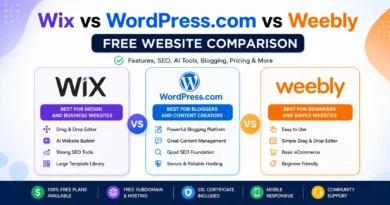
If you’re still deciding which platform to use, read our complete Wix vs WordPress.com vs Weebly comparison to compare features, pricing, SEO capabilities, and ease of use.
Choosing a website builder is an important decision that affects your website’s performance, user experience, and future growth. Focus on features that matter most, such as ease of use, responsive templates, SEO tools, website speed, security, scalability, and overall value.
Take advantage of free trials whenever possible and compare different platforms before committing. A website builder that supports your current needs while offering room to grow will help you build a faster, more professional, and search-friendly website.
Key Takeaways
- Choose a builder that is easy to use and beginner-friendly.
- Ensure it offers responsive templates and fast loading speeds.
- Built-in SEO tools are essential for better rankings.
- Security features like SSL and backups protect your website.
- Select a platform that can grow with your business.
- Compare pricing based on features, not just cost.
- Look for integrations, blogging tools, and eCommerce support if you need them.