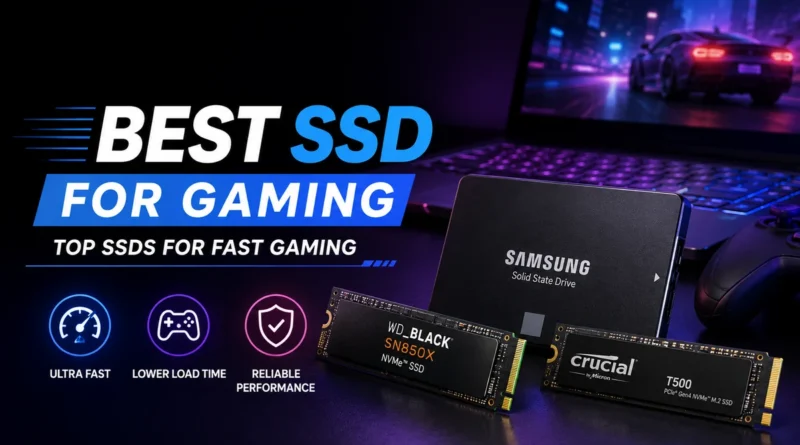
Best SSD for Gaming in 2026: Top SSDs for Fast Gaming
If your games take forever to load or your PC feels slow when you jump between titles, the problem is often not your graphics card. It is your storage drive. A good SSD (Solid State Drive) is one of the cheapest ways to make a gaming PC feel faster and newer. In 2026, the choice is no longer simple. There are PCIe 4.0 drives, PCIe 5.0 drives, and budget SATA drives, and each one fits a different type of gamer.
This guide breaks down the best SSDs for gaming in 2026 in plain language, so you can pick the right drive without reading through pages of technical specs.
Why SSD Speed Matters for Gaming
Every part of your PC works together, but storage is usually the slowest part. Your processor and graphics card can process data far faster than a slow drive can deliver it. This creates a bottleneck, meaning your system waits on the storage drive instead of running at full speed.
This matters even more now because of DirectStorage, a technology built into Windows 11 that lets the graphics card pull game data straight from the SSD. Games built with DirectStorage load faster and show fewer texture pop-ins on a fast NVMe drive compared to an older SATA drive. Most major games released after 2024 support this feature, so a slow drive holds back a modern gaming setup more than it used to.
Game sizes have also grown. Many modern titles cross 100GB in size, and some open-world games go well beyond that. A drive that is both fast and large enough matters just as much as raw speed.
NVMe vs SATA: What You Actually Need
Before picking a specific drive, it helps to understand the two main types.
NVMe SSDs connect through the M.2 slot on your motherboard and use the same high-speed PCIe bus as your graphics card. These are the fastest consumer drives available and are the right default choice for any new gaming build in 2026.
SATA SSDs connect through a cable or an M.2 slot running at SATA speed. They are far slower than NVMe drives but still much faster than old hard drives. They now make sense in only two cases: as a budget upgrade for an older PC with no M.2 slot, or as cheap extra storage for games you play once in a while.
For a primary gaming drive in 2026, NVMe is the clear choice. SATA is only worth considering as a secondary drive.
PCIe 4.0 vs PCIe 5.0: Do You Need the Fastest Drive?
This is where most gamers get confused. PCIe 5.0 drives post huge numbers on paper, some reaching over 12,000 MB/s in sequential speed. That sounds impressive, but most games today do not use anywhere close to that much bandwidth.
For pure gaming, a solid PCIe 4.0 drive remains the sweet spot. It delivers speeds high enough that load times feel nearly instant, runs cooler, and usually costs noticeably less than a Gen 5 drive of the same capacity.
PCIe 5.0 is worth the extra cost only if:
- You already have a free Gen 5 slot on your motherboard
- You also do heavy creative work like video editing or 3D rendering
- You play DirectStorage-heavy titles that genuinely push large amounts of data
For most people, spending extra money to move from PCIe 4.0 to PCIe 5.0 gives a smaller real-world improvement than upgrading from a hard drive to any NVMe SSD in the first place.
Top SSD Picks for Gaming in 2026
Below is a simple breakdown by budget and use case, based on current pricing and performance trends in 2026.
| Category | Recommended Drive | Interface | Best For |
|---|---|---|---|
| Best overall value | PCIe 4.0 NVMe, 2TB (WD Black or Samsung 990 series) | PCIe 4.0 | Most gamers building or upgrading a PC |
| Best budget pick | Budget PCIe 4.0 NVMe, 1TB to 2TB | PCIe 4.0 | Tight budgets without giving up NVMe speed |
| Best high-end pick | PCIe 5.0 NVMe with heatsink | PCIe 5.0 | Gamers who also do heavy creative work |
| Best for consoles | PCIe 4.0 NVMe with heatsink | PCIe 4.0 | PS5 storage expansion |
| Best secondary storage | High-capacity SATA SSD | SATA | Cheap backup for rarely played games |
Example: A gamer building a mid-range PC in 2026 with a budget around ₹12,000 to ₹15,000 for storage would get the best real-world experience from a 2TB PCIe 4.0 NVMe drive, rather than stretching the budget for a smaller PCIe 5.0 drive. More usable space with only a small drop in everyday speed is usually the smarter trade.
How Much Storage Do You Actually Need?
2TB is now the practical starting point for a gaming PC in 2026. A single large modern game can eat up 100GB or more, so a 1TB drive fills up quickly once you add a few big titles alongside your operating system and other software.
If you keep a large library installed at once, or play multiple large games without uninstalling, 4TB is worth considering. Another common approach is pairing a smaller, fast boot drive for your operating system and most-played games with a larger, budget-friendly drive for the rest of your library.
SSD for PS5: What to Check
If you are expanding storage on a PlayStation 5, the drive must be a PCIe 4.0 compatible NVMe SSD with an M.2 form factor, and it should include a heatsink, since the console has fairly strict cooling requirements for the internal storage slot. A drive that works well for gaming PCs is often the same drive that works well for PS5 expansion, as long as it meets these two requirements.
Frequently Asked Questions
Is PCIe 5.0 worth it for gaming?
Not for most gamers. PCIe 4.0 already covers what current games need. PCIe 5.0 only makes sense if you also handle heavy creative workloads or have a free Gen 5 slot you want to use fully.
How much SSD storage do I need for gaming?
2TB is the recommended baseline. Choose 4TB if you keep a large game library installed at the same time.
Is NVMe always better than SATA for gaming?
For a primary drive, yes. SATA still has a place as cheap secondary storage, but it should not be your main gaming drive.
Does SSD speed affect FPS (frames per second)?
Not directly. SSD speed mainly affects load times and how smoothly game assets stream in, not your in-game frame rate.
Final Thoughts
Picking the best SSD for gaming in 2026 comes down to matching the drive to how you actually play, not chasing the biggest number on the box. A 2TB PCIe 4.0 NVMe drive remains the best all-round choice for most gamers, offering fast load times, enough space for modern game sizes, and a price that makes sense. Reserve PCIe 5.0 for setups where you truly need the extra bandwidth, and use SATA only as backup storage rather than your main drive.