Kit Review: Features, Pricing, Pros & Cons
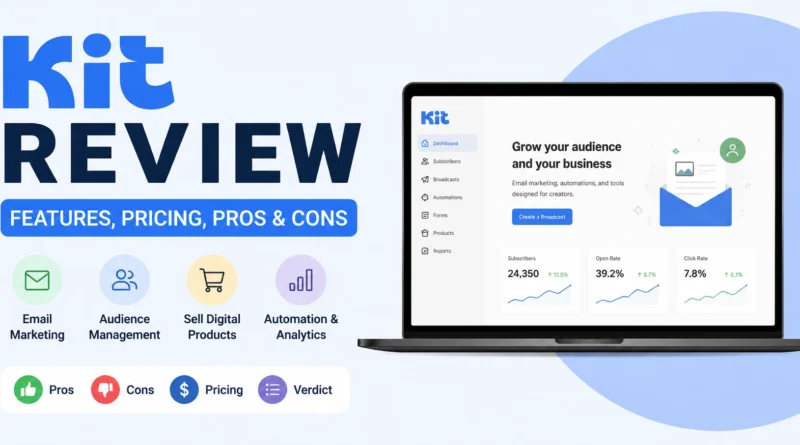
Kit, formerly known as ConvertKit, is an email marketing tool built specifically for creators. Bloggers, course sellers, podcasters, and newsletter writers use it to grow an audience, automate email sequences, and sell digital products, all from one dashboard.
This review covers what Kit offers, how its pricing works, and whether it fits your needs as a creator or small business.
What Is Kit?
Kit is an email marketing and automation platform originally launched as ConvertKit in 2013. It rebranded to Kit in 2024, though the core product remains the same. Unlike general purpose platforms built for ecommerce or large marketing teams, Kit is narrowly focused on one audience, independent creators who want to build and monetize an email list.
The platform combines email campaigns, visual automations, landing pages, and built in monetization tools like digital product sales and a paid newsletter option, all in a single system.
Key Features
Visual Automation Builder
Kit’s automation builder uses a visual canvas that lets you map out subscriber journeys with sequences, tags, and conditional logic. It is intuitive for creators who want to build welcome sequences, nurture funnels, or tag based segmentation without a steep learning curve.
Landing Pages and Forms
Kit includes unlimited landing pages and signup forms on every plan, including the free tier. These are simple to customize and integrate directly with automations, making it easy to turn a new subscriber into part of an email sequence right away.
Commerce and Digital Products
One of Kit’s standout features is Commerce, which lets you sell digital products, templates, or courses directly through the platform. There is no percentage cut on sales beyond standard Stripe processing fees, which makes it a genuine alternative to separate tools like Gumroad for creators who want everything under one roof.
Paid Newsletters and Subscriptions
Kit supports paid newsletter subscriptions, allowing creators to monetize content directly through recurring subscriber payments. This is a feature general purpose email tools rarely offer natively.
Tagging and Segmentation
Instead of relying only on static lists, Kit uses a tag based system that lets you segment subscribers by behavior, interest, or funnel stage. This approach is more flexible than traditional list based platforms and fits naturally with how creators plan content and offers.
Creator Network
Kit includes a built in creator network feature that helps newsletter writers cross promote and grow subscribers through recommendations from other creators on the platform, which is uncommon among competing email tools.
Kit Pricing
Kit prices its plans by total subscriber count rather than by email sends, so you are never charged extra for how often you email your list. The platform offers three tiers.
| Plan | Starting Price (1,000 subscribers) | What You Get |
|---|---|---|
| Newsletter (Free) | $0 | Up to 10,000 subscribers, unlimited landing pages, 1 automated sequence, community support |
| Creator | $39/month ($33/month billed annually) | Unlimited sequences, visual automations, integrations, free migration |
| Creator Pro | $79/month ($66/month billed annually) | Everything in Creator plus advanced reporting, subscriber scoring, and priority support |
Kit’s free plan is one of the most generous in the email marketing space, supporting up to 10,000 subscribers at no cost, though it is limited to a single automated sequence. Paid plans scale with your subscriber count, and a price increase in September 2025 raised Creator plan costs significantly compared to previous years, so it is worth checking the official pricing page before committing to an annual plan.
Pros of Kit
- Extremely generous free plan supporting up to 10,000 subscribers
- Built in Commerce feature for selling digital products without extra fees
- Intuitive visual automation builder suited to creator workflows
- Paid newsletter support for direct audience monetization
- Creator network feature that helps with organic subscriber growth
Cons of Kit
- Paid plan pricing increased significantly in September 2025
- Free plan is limited to one automated sequence
- Less suited to ecommerce brands compared to platforms like Klaviyo
- Fewer prebuilt email templates than design focused competitors
- Pricing scales with total subscriber count, not engagement, so inactive subscribers still count toward your bill
Who Should Use Kit
Kit is built for independent creators, bloggers, podcasters, and course sellers who want to grow an audience and monetize it directly through email. It works especially well for anyone who wants to sell digital products or run a paid newsletter without stitching together multiple tools.
If you run an ecommerce store with complex product catalogs or need deep behavioral automation tied to purchase history, a platform built specifically for that purpose, such as Klaviyo, will likely serve you better.
Kit Related Email Marketing Tools:
- Brevo Review
- Mailchimp Review
- ActiveCampaign Review
- Klaviyo Review
- MailerLite Review
- GetResponse Review
Final Verdict
Kit remains one of the strongest platforms for creators, thanks to its generous free tier, built in monetization tools, and creator focused features like the Creator Network and paid newsletters. It stands apart from general purpose email tools by treating audience building and monetization as one connected process.
The tradeoff is cost once you move past the free tier. The September 2025 price increase makes Creator and Creator Pro less competitive against alternatives like MailerLite for budget conscious users. For creators who value the built in monetization features, the investment still makes sense.
Frequently Asked Questions
Is Kit the same as ConvertKit?
Yes. ConvertKit rebranded to Kit in 2024. The product, features, and account structure remain the same under the new name.
Is Kit free to use?
Yes. Kit offers a free Newsletter plan for up to 10,000 subscribers, though it is limited to one automated sequence and community support only.
How much does Kit cost per month?
The Creator plan starts at $39 per month, or $33 per month billed annually, for 1,000 subscribers. Creator Pro starts at $79 per month, or $66 per month billed annually.
Can I sell products through Kit?
Yes. Kit’s Commerce feature lets you sell digital products, templates, and courses directly through the platform with no additional percentage cut beyond standard Stripe processing fees.
Is Kit good for ecommerce businesses?
Kit is built primarily for creators and content based businesses. Ecommerce brands with complex product catalogs are usually better served by a platform like Klaviyo.