How to Plan Your Week for Better Productivity
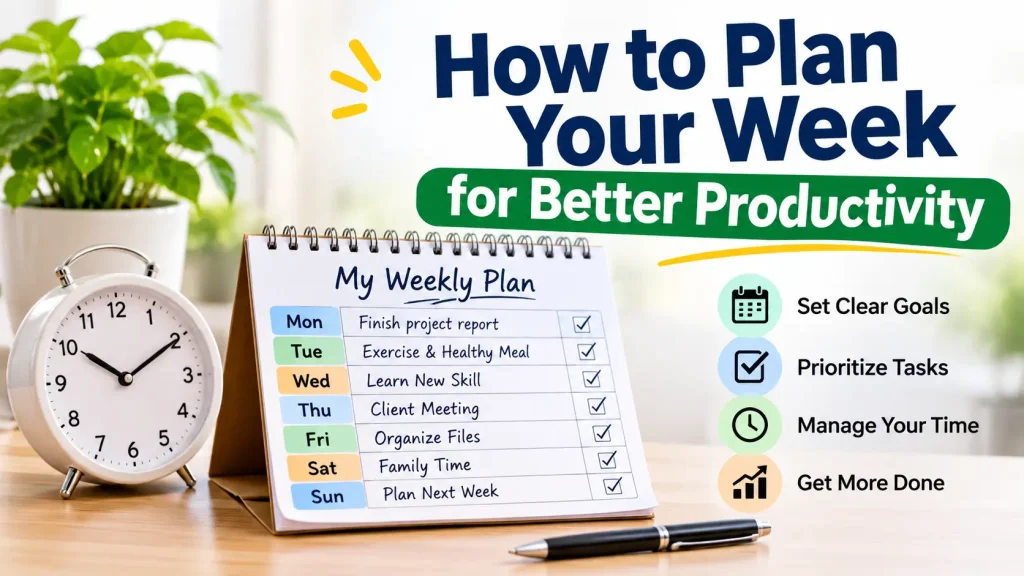
To plan your week, pick 3 outcomes that matter most, list every task, rank the tasks by importance, place them on a calendar with time blocks, and keep about 20% of the week free as a buffer. Finish with a 15 minute review each Friday or Sunday. This takes around 30 minutes and removes most of the daily guesswork about what to do next.
Weekly planning works because a day is too short to correct a bad plan, while a month is too long to predict. A week sits in the middle. It is long enough to move real work forward and short enough to adjust.
Why Weekly Planning Works Better Than Daily Lists
A daily to do list reacts to whatever feels urgent in the morning. A weekly plan decides in advance which work deserves the best hours of the week.
Three reasons explain the difference:
- Planning fallacy: Psychologists Daniel Kahneman and Amos Tversky described this in 1979. People consistently underestimate how long tasks take. A weekly view shows the total load, so overbooking becomes visible before it happens.
- Parkinson’s Law: Cyril Northcote Parkinson wrote in 1955 that work expands to fill the time available. Fixed blocks put a limit on each task.
- Context switching: Researcher Gloria Mark of the University of California, Irvine, has reported that returning to a task after an interruption can take over 20 minutes. Grouping similar work in one week cuts the number of switches.
The Weekly Time Budget: A Real Calculation
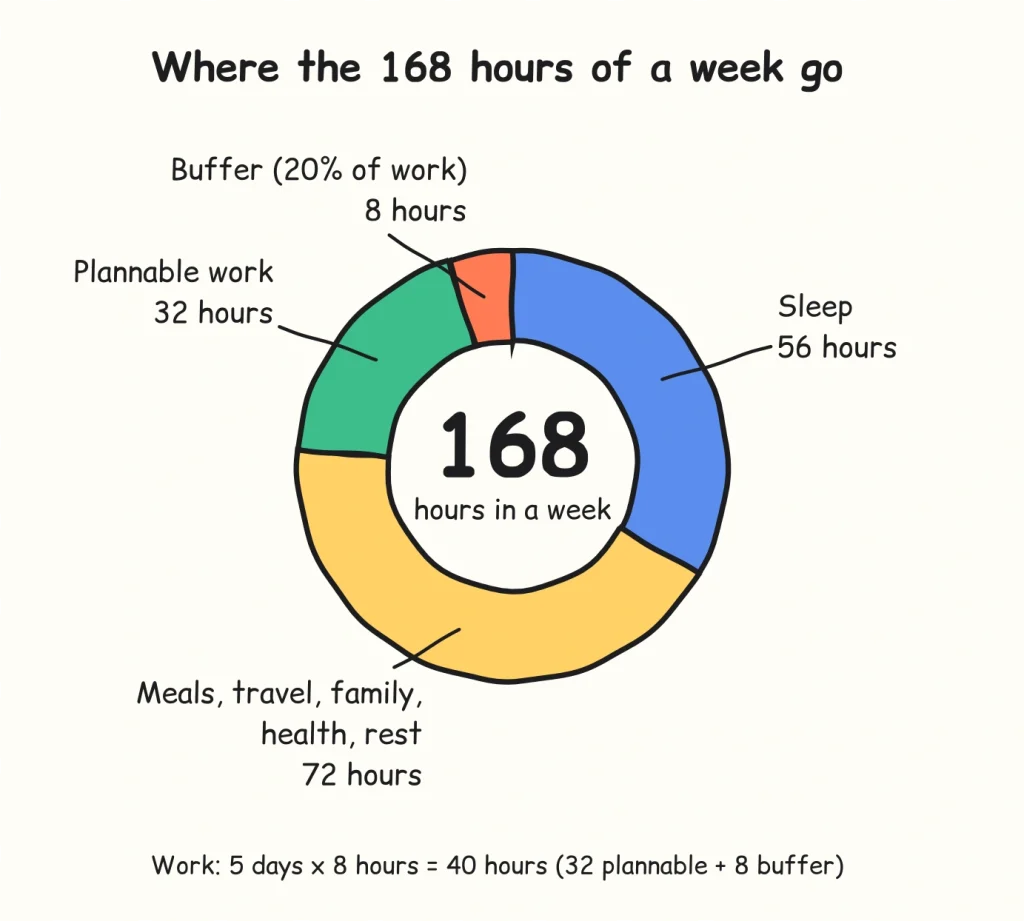
A week has 168 hours. A realistic breakdown for a full-time worker looks like this:
| Item | Hours |
|---|---|
| Total hours in a week | 168 |
| Sleep (8 hours x 7 nights) | 56 |
| Work (5 days x 8 hours) | 40 |
| Remaining for meals, travel, family, health, rest | 72 |
Inside the 40 work hours, a 20% buffer (8 hours) covers meetings that run long, urgent requests, and slow days. That leaves 32 hours of plannable work. Three weekly outcomes at roughly 10 hours each fit inside that limit. Planning 50 hours of tasks into a 32-hour space is the most common reason weekly plans fail.
7 Steps to Plan Your Week
These seven steps take about 30 minutes in total and suit any job or schedule.
Follow them in order the first time, then adjust them to fit your own week.
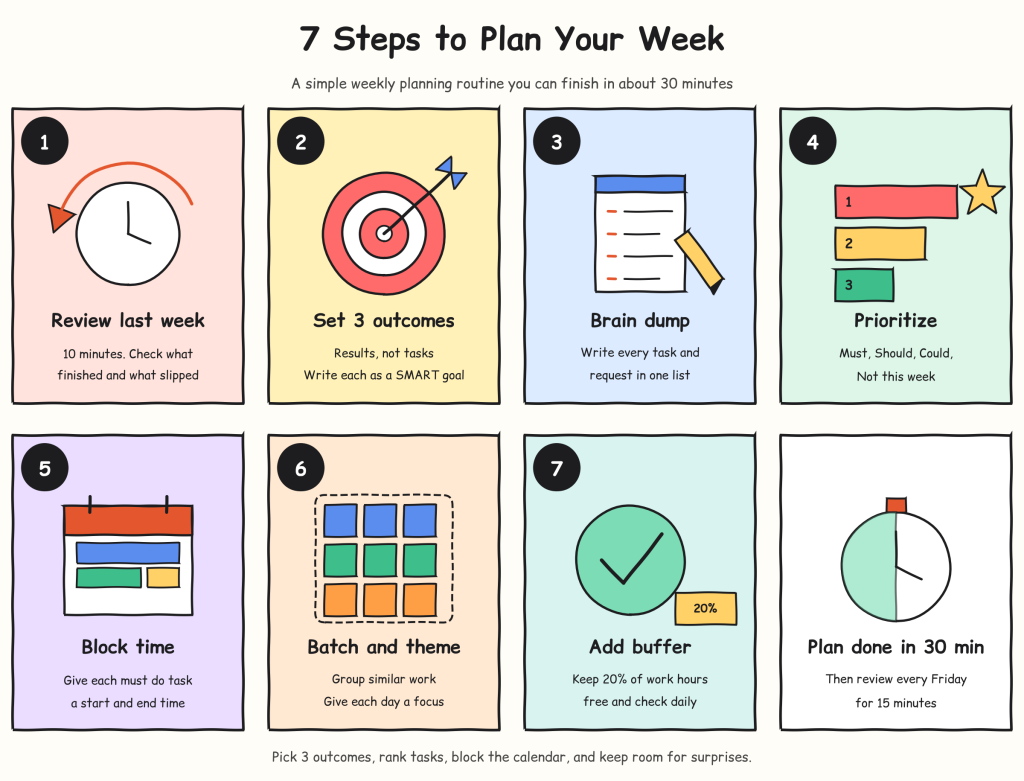
Step 1: Review the Previous Week (10 minutes)
Open last week’s calendar and list what was finished, what slipped, and why. Look for patterns, such as tasks that moved three days in a row. Those tasks are either too large, not important enough, or being avoided. If avoidance is the cause, the guide on how to stop procrastinating explains how to break the pattern.
In practice, one question gives the most useful answer: “Which task took longer than planned, and by how much?” That gap becomes the correction factor for the next plan.
Step 2: Set 3 Weekly Outcomes
Choose three outcomes, not tasks. An outcome describes a result, such as “publish 2 finished articles” or “send the client proposal.”
Write each outcome as a SMART goal: specific, measurable, achievable, relevant, and time bound. A vague outcome like “work on marketing” cannot be scheduled. “Draft and review the email sequence by Wednesday” can.
Step 3: Brain Dump Every Task
Write every task, request, and pending item in one list. Include small items such as replying to a vendor or paying a bill. Holding tasks in memory uses attention that planning needs.
Step 4: Prioritize the List
Sort the list into four groups:
- Must do: Tied to a deadline or one of the 3 outcomes
- Should do: Important but flexible on timing
- Could do: Useful if time remains
- Not this week: Moved to a later list
This follows the logic of the MoSCoW method. Anyone who wants other ranking systems can read how to prioritize tasks with different frameworks.
Step 5: Block Time on the Calendar
Move every “must do” task into a calendar slot. This is time blocking: each task gets a start time and an end time.
Rules that work in practice:
- Place the hardest work in the period of the day with the highest energy, often the first 3 hours of work.
- Keep blocks between 60 and 120 minutes.
- Add a named block for email and messages, so they stop interrupting other work.
- Put meetings together on one or two days where possible.
Step 6: Batch Similar Work and Assign Day Themes
Task batching groups similar tasks, such as all calls or all writing, into one block. Day theming goes one step further and gives each weekday a main focus.
Each method suits a different type of week:
| Method | Best for | Main strength | Main limit |
|---|---|---|---|
| Time blocking | Fixed schedules | Every task has a slot | Breaks easily if meetings change |
| Task batching | Repetitive work | Fewer context switches | Needs enough similar tasks |
| Day theming | Roles with many areas | Clear focus per day | Hard when urgent work crosses days |
| Timeboxing | Tasks that tend to run long | Hard stop on effort | Quality can suffer if the box is too small |
For most people, time blocking combined with light batching gives the best result with the least setup.
Step 7: Add Buffer and a Daily Check
Leave 20% of work hours unscheduled. Keep one 60 minute block on Thursday and one on Friday afternoon as spare capacity for work that slipped.
Each morning, spend 5 minutes checking the day’s blocks against the weekly plan. A daily schedule is only a slice of the weekly plan, not a separate system.
Sample Weekly Plan (40 Hour Work Week)
This example uses three outcomes: finish a report, prepare a client presentation, and clear the support backlog.
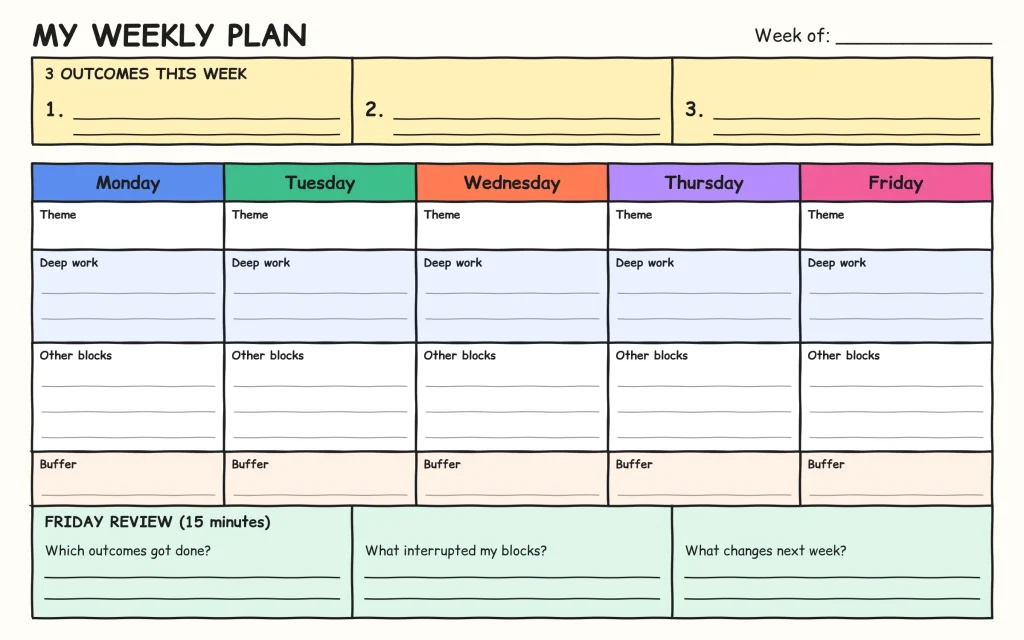
| Day | Theme | Deep work block | Other blocks |
|---|---|---|---|
| Monday | Planning and report | 9:00 to 11:30 Report draft | 11:30 Weekly plan check, 2:00 team meeting |
| Tuesday | Presentation | 9:00 to 11:30 Slide outline | 2:00 Client research |
| Wednesday | Support backlog | 9:00 to 11:00 Ticket batch | 1:00 Calls, 3:00 Email block |
| Thursday | Report and presentation | 9:00 to 11:30 Report edit | 2:00 to 3:00 Buffer |
| Friday | Review and wrap up | 9:00 to 10:30 Final slides | 2:00 to 3:00 Buffer, 3:30 Weekly review |
Weeks with heavy meeting loads should reduce deep work blocks to 2 per day and protect them first.
Tools for Weekly Planning
Any of these tools can hold a weekly plan:
- Calendar apps: Google Calendar or Outlook for time blocks
- Task managers: Todoist, Notion, or Trello for the master list
- Paper: A single page with five columns, one per day
The tool matters less than using one place for both tasks and calendar slots. Splitting them across three apps usually causes missed work.
Common Mistakes When Planning a Week
- Overloading Monday: Planning too much on day one leaves no room to recover on later days.
- Skipping the buffer: Every plan without spare time breaks by Wednesday.
- Listing tasks without time slots: A list shows what to do, not when.
- Treating the plan as fixed: A weekly plan should be adjusted, not defended.
- Ignoring distractions: Notifications cancel the value of blocks. Practical fixes are covered in the guide on how to avoid distractions, and the Pomodoro technique works well inside long blocks.
Weekly Review: The 15 Minute Close
End each week with three questions:
- Which of the 3 outcomes were completed?
- Which blocks were interrupted, and by what?
- What should change in next week’s plan?
Write the answers in two or three lines. After four weeks, the notes show clear patterns, such as which day always collects meetings or which task type always runs over.
FAQ
What is the best day to plan the week?
Friday afternoon or Sunday evening works best. Friday planning lets Monday start with no setup time. Sunday planning uses fresh context from the weekend. The best day is the one that gets repeated every week.
How long should weekly planning take?
A first plan takes about 30 minutes. After a few weeks, 15 to 20 minutes is enough because the task list and block patterns repeat.
How many tasks should be planned in a week?
Plan 3 main outcomes and about 3 to 5 tasks per day. Plans with more than 5 daily tasks tend to slip because small requests keep arriving.
What is the difference between a weekly plan and a to do list?
A to do list only names tasks. A weekly plan assigns each task a day, a time block, and a priority, and it includes spare time for the unexpected.
Should weekends be included in a weekly plan?
Include them only for personal items such as rest, family, and health. Leaving weekends free of work blocks supports energy for the following week.
What if the plan falls apart by Tuesday?
Move unfinished must do tasks into the buffer blocks, drop one “could do” item, and keep the three outcomes unchanged. The goal is a working plan, not a perfect one.